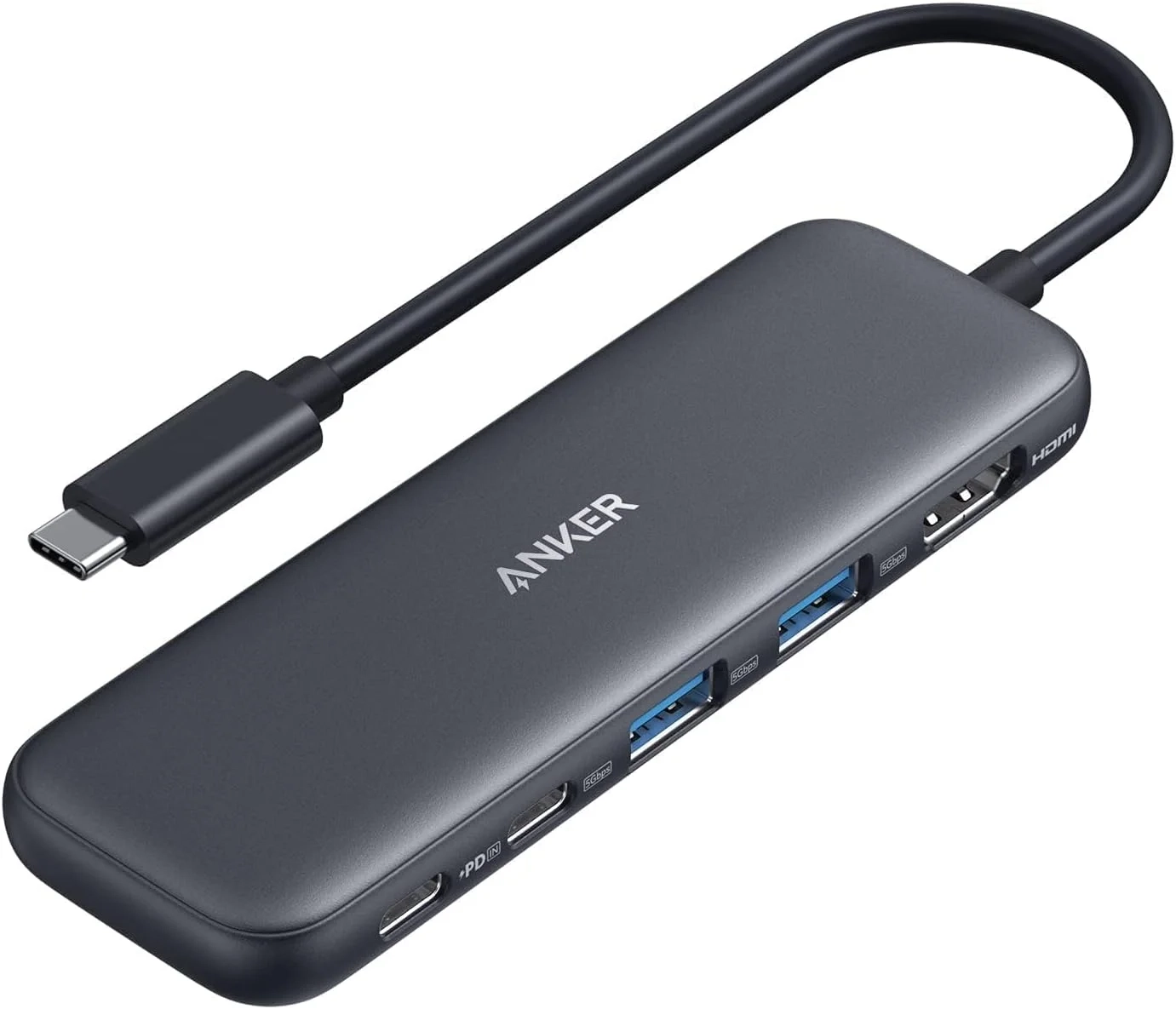
Anker USB C hub: 4K HDMI Multi-Port Connectivity
About This Topic
This guide provides a clear breakdown of the Anker 332 5-in-1 USB-C Hub, explaining its capabilities, ideal users, and important technical notes. Understanding this hub’s specific functions helps you determine if it’s the right solution for expanding your laptop’s connectivity, whether you’re setting up a home office, enhancing your workspace, or simply needing more ports on the go.
This advice benefits anyone with a modern laptop seeking reliable port expansion. It is particularly valuable for professionals, students, and remote workers who need to connect to an external monitor while charging their device and using USB accessories. If you often find yourself needing to connect an HDMI display, transfer files from USB drives or external hard drives, and keep your laptop powered simultaneously, this hub is designed for your workflow.
Key Features and Direct Benefits:
- Expanded 5-in-1 Connectivity: This hub solves the common problem of too few ports. It allows you to connect a 4K monitor or TV via HDMI, use standard USB-A devices like flash drives or keyboards, and connect modern peripherals through a high-speed USB-C data port.
- Seamless Power Delivery: The powerful 85W pass-through charging means you can keep your laptop battery topped up with your own charger while using all the hub’s ports, eliminating the need to choose between charging and connecting accessories.
- High-Speed Data Transfer: With 5 Gbps speeds on the data ports, you can quickly move large video files, backup photos, or transfer work documents between your laptop and external storage in seconds.
Addressing Common Questions and Clarifications:
It’s important to understand what this hub does and does not do to set proper expectations:
- The USB-C 100W PD-IN port is for charging input only. You cannot use it to connect data devices like headphones, speakers, or another computer.
- Pass-through charging requires your own compatible wall charger. The hub does not include a power adapter. For best results with tablets like the iPad, a 45W or higher charger is recommended.
- Video output is exclusive to the HDMI port. The USB-C data ports cannot be used to connect a second monitor or display.
- This hub is not compatible with Linux-based systems. It is designed for macOS, Windows, and ChromeOS laptops with a compatible USB-C, USB4, or Thunderbolt port.
What You Receive:
Your purchase includes the Anker 332 USB-C Hub itself, a welcome guide, and is backed by an 18-month warranty with dedicated customer support, ensuring a reliable and supported user experience.

