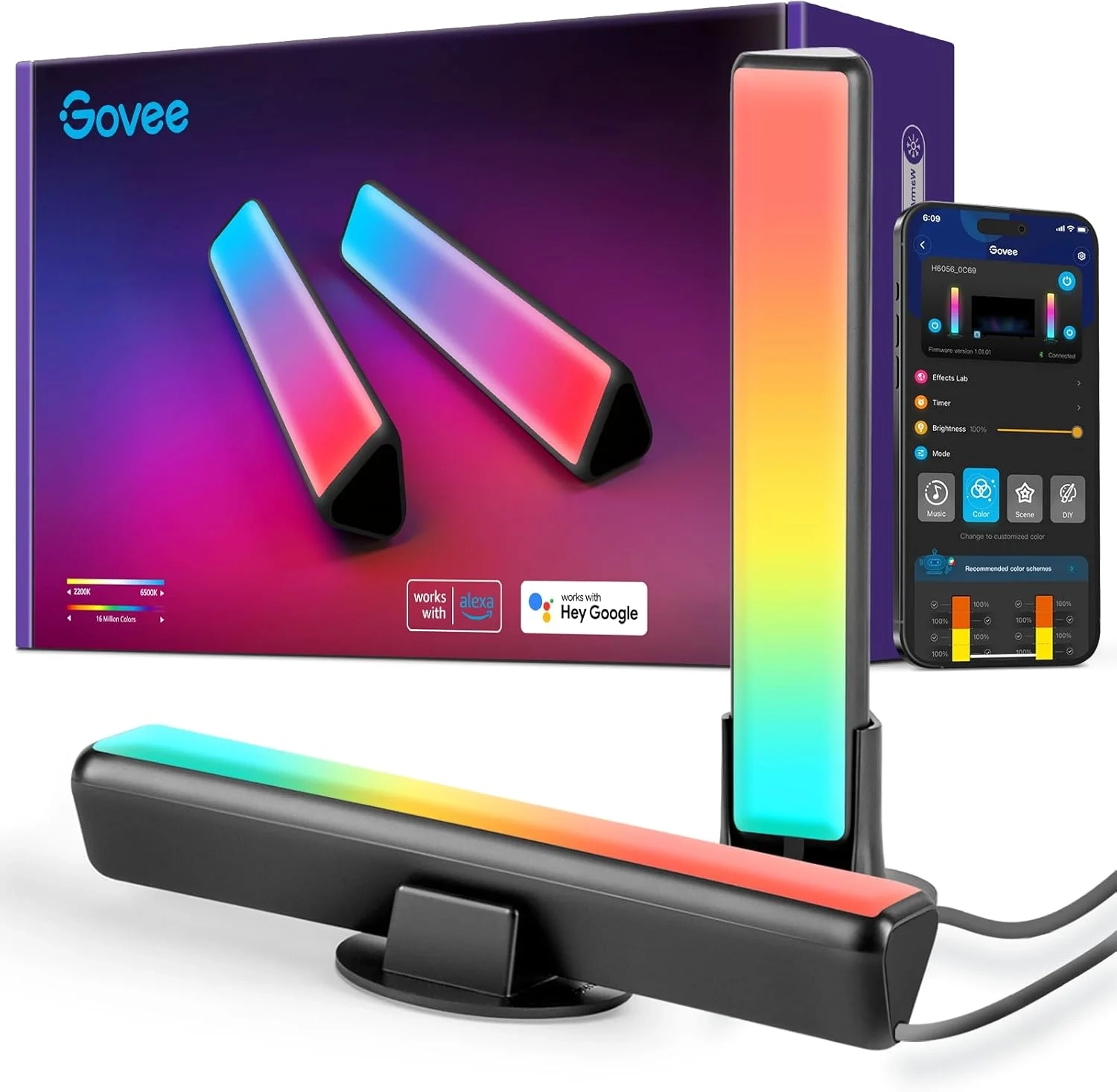
Govee Smart LED Light Bars Setup With Alexa & Google
Illuminate Your Space: A Complete Guide to Installing LED Strip Lights
Transforming a room with vibrant, customizable light has never been easier than with LED strip lights. These flexible, energy-efficient ribbons offer unparalleled creative control over your ambiance, from a cozy bedroom glow to dynamic gaming setup accents. However, the journey from unboxing to a perfectly lit space can sometimes hit a snag. This guide will walk you through the entire process, ensuring your lighting project is a brilliant success.
The Common Hurdle: Getting Your Lights to Work
Users often find that their new LED strips don’t turn on immediately, or they struggle with connectivity. The initial setup, which involves proper power connection, secure controller pairing, and app navigation, can be confusing. Issues like adhesive failure, uneven lighting, or difficulty syncing colors are frequent pain points that can dampen the excitement of your new purchase. Thankfully, most of these problems have straightforward fixes.
Step-by-Step Setup and Pro Tips
Following a methodical approach is key to avoiding frustration. First, always plan your layout. Measure your space and dry-fit the strips before peeling off any adhesive backing. When connecting the strips to the power supply and controller, ensure all plugs are firmly seated—a loose connection is the most common reason for failure.
For WiFi or Bluetooth-enabled smart strips like the popular Govee models, download the official app first. Power on the strips and follow the in-app pairing instructions carefully. If the lights power on but won’t connect to your phone, try resetting the controller (often by holding a button) and restarting your mobile device’s Bluetooth or WiFi. To ensure longevity and even light, avoid bending the strips at sharp 90-degree angles and consider using mounting clips for a more permanent hold than the included adhesive, especially on textured surfaces.
How Do LED Strips Compare to Other Lighting?
When considering ambient lighting, it’s helpful to compare options. Traditional smart light bulbs are easier to install but offer area-specific lighting. LED strip lights provide linear, contour-based illumination that highlights architecture, shelves, or desks. For outdoor use, dedicated permanent outdoor lights are more weatherproof. Strips are ideal for DIY projects and creating seamless, hidden light sources indoors, while bulbs are better for overall room illumination. Both product categories can often be integrated into a unified Smart Home system.
Practical Applications in Your Home
The uses for flexible light strips are nearly endless. Create a captivating backlight for your television to reduce eye strain. Outline your kitchen kickboards for a modern touch. Elevate your workspace by installing them under a desktop for a floating effect. In a child’s room, use them as a soft, programmable night light. The versatility of color-changing smart strips allows one product to set multiple moods, from a focused cool white for studying to a party-ready color cycle.
Frequently Asked Questions
Why won’t my LED strip lights turn on at all?
First, double-check every connection from the wall outlet to the power adapter, and from the adapter to the controller and strip. Ensure the transformer is plugged in securely and that you’ve used the correct power cable. A faulty outlet or loose wire is often the simple culprit.
What should I do if my smart strips won’t connect to the app?
Ensure your phone’s Bluetooth is on and you’re within range. Power cycle the strips by unplugging them for 10 seconds. Delete the device from the app and attempt the pairing process from the beginning. Also, verify you have the correct app for your brand, as many manufacturers like Govee have their own dedicated applications.
Can I cut my LED light strips to fit my space?
Yes, but only at the marked cut lines, which are typically indicated by a scissor icon. Cutting anywhere else will break the circuit and render that section unusable. Always measure and plan your cuts before installation.
Key Takeaways for a Flawless Installation
Successfully installing LED strip lights hinges on careful planning, secure connections, and patient setup of the smart features. Start with a clean, dry surface for the adhesive and reinforce with clips for longevity. Remember that related products like smart light bulbs and permanent outdoor lights can complement your strip lighting for a fully integrated home ambiance. By following these steps, you can seamlessly move from unboxing to enjoying a professionally illuminated, personalized space.
About This Topic: Smart RGBICWW Gaming Light Bars
This guide provides authoritative information on advanced LED light bars designed for immersive ambient lighting. We focus on products utilizing RGBICWW technology, which combines multicolored (RGB) light with dedicated independent white (WW) LEDs. This allows for both vibrant, segmented color effects and nuanced, pure white lighting—a significant upgrade over standard single-color or basic RGB strips.
Who Benefits from This Advice?
This information is most valuable for:
- PC and Console Gamers seeking to enhance immersion by extending on-screen action into their physical environment.
- Home Entertainment Enthusiasts who want to create a dynamic, theater-like experience for movies, sports, and music listening.
- Smart Home Users looking to integrate versatile, voice- and app-controlled lighting into their office, gaming room, or media center setup.
- Content Creators and Streamers aiming to improve their video background lighting with customizable, mood-setting colors.
Core Capabilities and Clarifications
Modern gaming light bars, like the Govee models described, offer a suite of features that move beyond simple backlighting. Key functionalities include creating a dynamic rainbow light show, syncing colors to audio rhythms for a truly immersive audio visual experience, and offering full customization through a smartphone app. It’s important to understand that “RGBICWW” technology enables control over individual segments of the light bar, allowing for complex, moving patterns that basic LEDs cannot achieve. A common misconception is that music synchronization requires an additional hub or complicated setup; however, many current models use a built-in microphone for real-time audio reactivity without extra hardware.
Addressing Common Questions
- Monitor Compatibility: These light bars are typically recommended for monitors or TVs under 45 inches to ensure optimal coverage and effect quality.
- Setup and Control: They are designed for versatile placement behind a monitor and offer multiple control methods: direct app control, voice commands via Alexa or Google Assistant, and often manual buttons. The included long power cord (e.g., 106 inches) provides flexibility in placement.
- Customization Depth: Beyond presets, users can create DIY lighting scenes, set automated schedules, and even share or download custom effects from a community library within the companion app, allowing for deep personalization of your gaming room lighting or home office ambiance.

