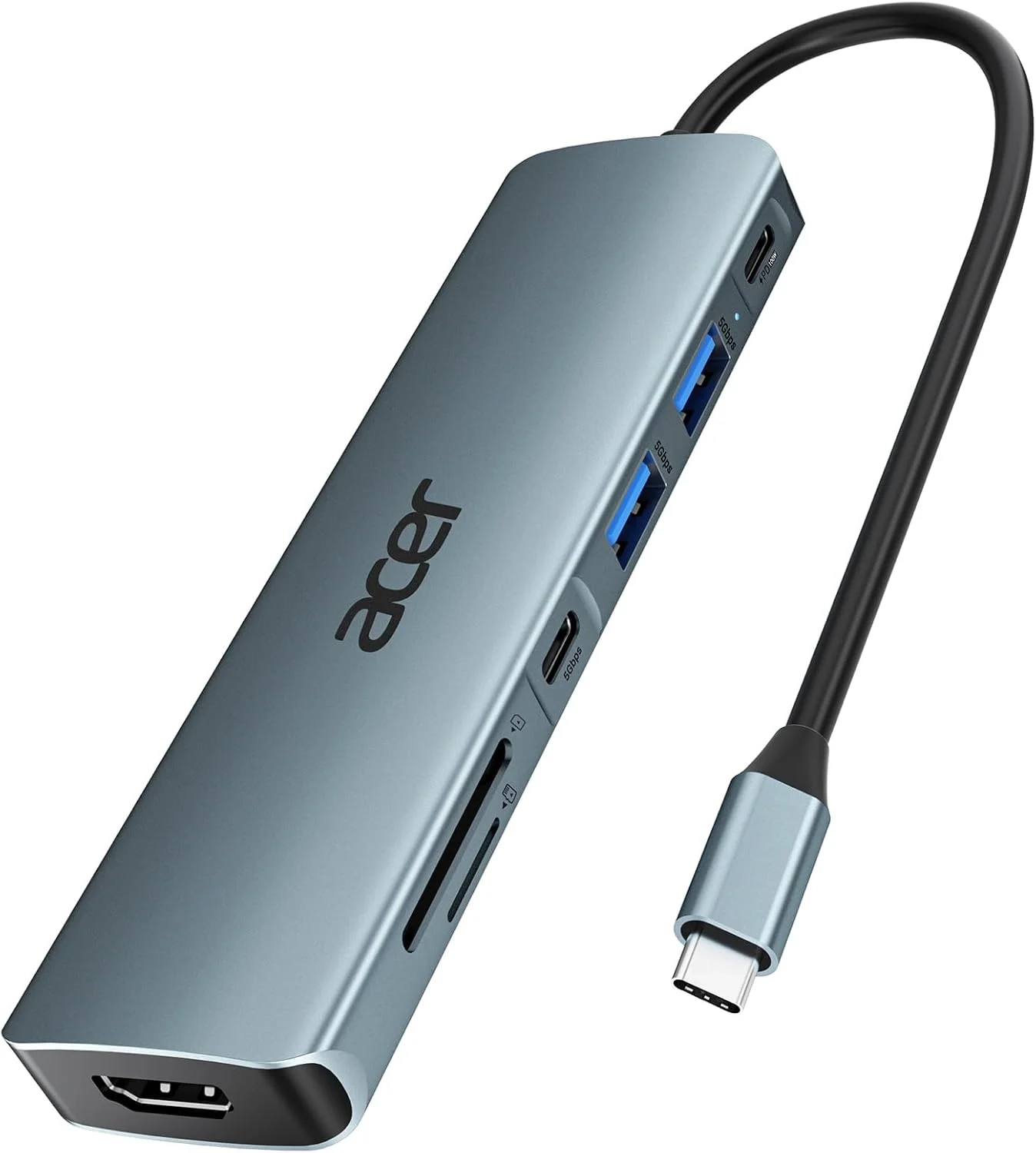
Acer 7-in-1 USB C hub Setup Guide
About This Topic
This guide details the functionality and ideal use cases for a versatile 7-in-1 USB-C hub, specifically designed to expand the connectivity of modern laptops. These compact adapters are essential for users who need to connect multiple peripherals—like monitors, storage drives, and charging cables—to a device with only one or two USB-C ports.
Who Benefits Most from This USB-C Hub?
This multi-port adapter is engineered for professionals, students, and hybrid workers who rely on a streamlined setup. It is particularly valuable for:
- MacBook, Acer, and Dell XPS users seeking to regain essential ports.
- Remote workers and office professionals requiring a single dock for monitors, external drives, and peripherals.
- Students and presenters needing to connect to projectors, SD cards, and charge their laptop simultaneously.
- Anyone with a USB-C laptop looking for a portable all-in-one solution for travel or working from different locations.
Core Functions and Important Clarifications
This section breaks down the hub’s key ports and addresses common questions to ensure optimal performance.
1. Comprehensive Port Expansion
The hub transforms a single USB-C port into seven, including HDMI, USB-A, USB-C (for data), SD card readers, and a dedicated Power Delivery (PD) charging port. This eliminates the need for multiple separate dongles and is perfect for creating an efficient workstation anywhere.
2. 4K Video Output (With Specific Conditions)
The HDMI port supports mirroring or extending your display to a monitor, TV, or projector.
- What it does: Delivers clear video up to 4K resolution at 30Hz or 1080p.
- Key requirement: Your laptop’s USB-C port must support DisplayPort Alt Mode for video transmission. This is standard on most modern laptops but worth verifying.
- Important limitation: This hub does not support 4K at 60Hz or high refresh rates like 2K at 144Hz. It is designed for standard office, presentation, and entertainment viewing.
3. 100W Power Delivery Charging
The dedicated USB-C PD port allows you to charge your laptop while using the hub.
- How it works: It passes through high-speed charging from your wall charger to your laptop.
- For best performance: Use a charger rated at 65W or higher and ensure your laptop supports the USB-C PD charging protocol. Note: To ensure stable operation of all ports (especially when using multiple high-power devices), it is recommended to connect your power supply to this PD port.
4. High-Speed Data Transfer
The two USB-A 3.1 ports and one data-only USB-C port offer transfer speeds up to 5Gbps, suitable for backing up files to external hard drives or quickly transferring photos.
- Clarification: These USB ports are for data and peripherals (like keyboards and mice) only. They do not transmit video or audio signals.
5. Broad Device Compatibility
Built with durable aluminum for heat dissipation, this hub is broadly compatible with USB-C laptops running Windows, Chrome OS, Linux, and macOS.
- Pro Tip for Samsung Users: If using a Samsung Galaxy Tablet, you must manually enable Samsung DeX mode in the device settings for the hub to function properly with an external display.

