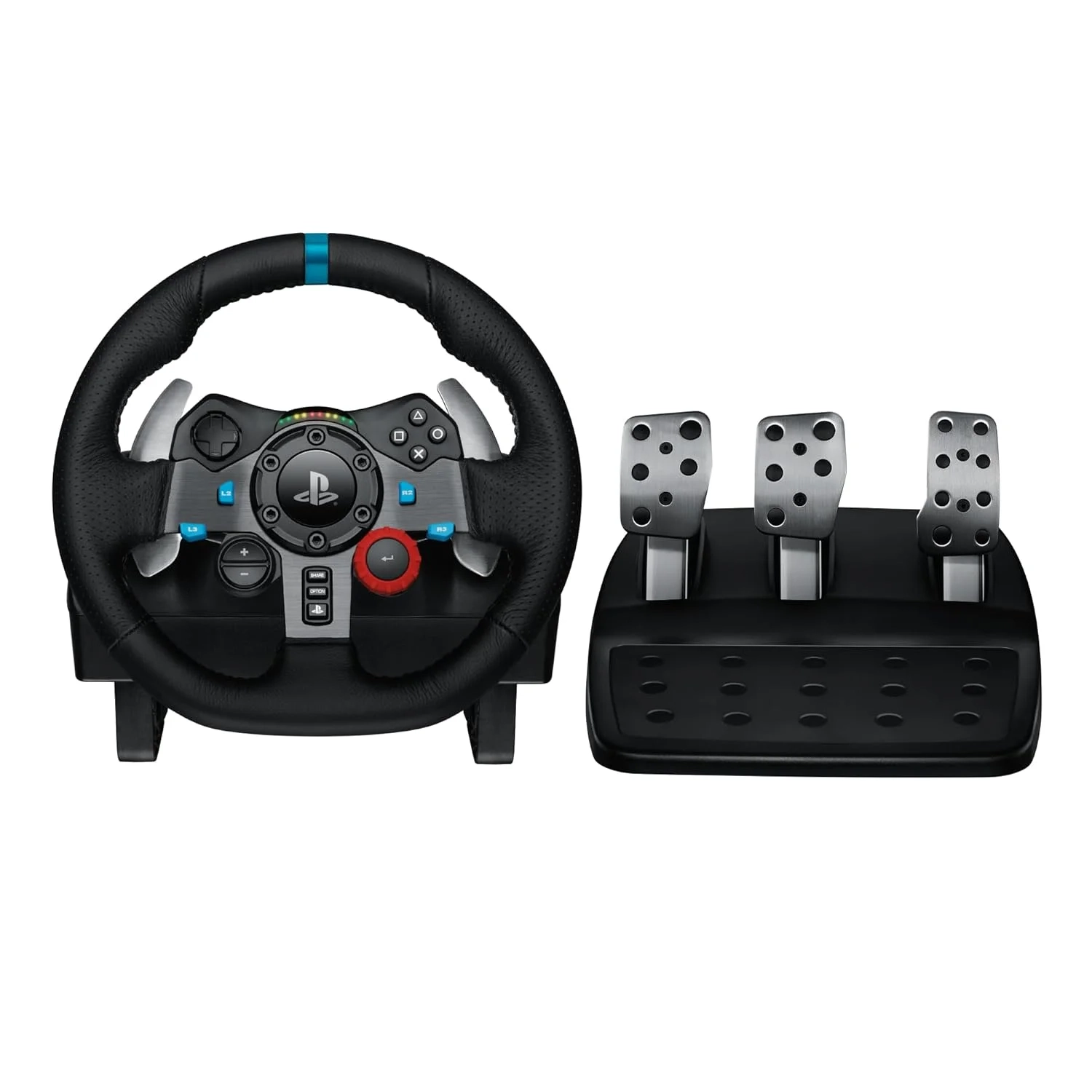
Logitech G29 Racing Wheel Setup Guide
Many sim racers look for a high-quality wheel to enhance their experience, and the Logitech G29 Driving Force is a top contender for PlayStation and PC users. This article covers its force feedback, build quality, and compatibility to help you decide if it’s the right racing wheel for your setup.
Introduction
The quest for a true-to-life racing simulation at home often leads enthusiasts to a critical piece of hardware: the racing wheel. For those seeking to elevate their gameplay beyond a standard controller, the Logitech G29 Driving Force stands as a premier choice. This force feedback wheel is engineered to bridge the gap between virtual racing and the tactile sensation of real driving.
Its popularity stems from its robust build, precise feedback, and broad compatibility. Whether you’re navigating the hairpin turns of Monaco in F1 or mastering car control in Gran Turismo, the G29 aims to deliver an authentic and immersive experience. This article explores what makes this wheel a standout in the Gaming and Accessories category.
Logitech G29 Driving Force Problems and Solutions
While highly regarded, new users can encounter common setup or usage hurdles. One frequent question involves achieving the correct feel; some find the default force feedback too strong or not detailed enough. Others may struggle with pedal placement or ensuring the wheel is securely mounted to their desk or rig.
Compatibility confusion is another typical issue, especially for players switching between a PlayStation 5, PS4, and PC. Ensuring the correct mode is selected and the proper drivers are installed is key. Fortunately, most of these challenges have straightforward solutions to get you on track quickly.
Step-by-Step Solutions
Getting the most from your G29 is simple with the right approach. Follow these steps for an optimal setup.
- Secure Your Mount: First, ensure the wheel is clamped tightly to a stable desk or attached to a dedicated racing rig. Any wobble will diminish the feedback precision and realism.
- Install Necessary Software: On PC, download Logitech G HUB. This software is essential for customizing force feedback strength, adjusting wheel rotation range, and remapping buttons to your preference.
- Calibrate the Pedals: Place the pedals on a non-slip surface. Use G HUB or your game’s settings to check the input range, ensuring full press and release are correctly detected, especially for the progressive brake pedal.
- Adjust In-Game Settings: Start with moderate force feedback settings in your racing game. Gradually increase the strength and detail levels until you find a setting that feels immersive without being overly strenuous.
Alternatives and Comparisons
The G29 occupies a compelling middle ground in the sim racing market. Its primary competitor is the Thrustmaster T300 RS. The T300 uses a brushless servo motor, which can offer slightly smoother and stronger force feedback.
However, the G29 counters with a proven helical gear system, a full leather-wrapped wheel, and a generally more rugged build. It also often comes at a more accessible price point. For console-focused racers or PC beginners wanting a high-quality, durable wheel, the G29 presents exceptional value, while the T300 may appeal to those prioritizing the absolute smoothest feedback.
Practical Use Cases
The G29 shines across various racing disciplines. For casual players enjoying Forza Horizon 5, the detailed force feedback brings the off-road bumps and curb strikes to life. Sim racing purists on Assetto Corsa Competizione will appreciate the precise 900-degree rotation for managing oversteer and hitting apexes.
It’s also an excellent training tool for real-world driving concepts like smooth steering input and threshold braking, thanks to its realistic pedal feel. Exploring other tech hobbies? The skills and setup knowledge from sim racing can complement interests in the Smart Car Gadgets category, fostering a deeper understanding of vehicle dynamics and telemetry.
FAQs
What is the Logitech G29 Driving Force?
The Logitech G29 Driving Force is a force feedback racing wheel designed for sim racing. It features a leather-wrapped wheel, helical gearing for precise steering, and nonlinear brake pedals to simulate the experience of driving a real car on PlayStation and PC platforms.
How does the G29 compare to a direct drive wheel?
Direct drive wheels, like those from Fanatec, connect the motor directly to the wheel shaft, offering unmatched strength and detail in force feedback. The G29 uses gear-driven feedback, which is very capable but can feel slightly notchy in comparison. Direct drive wheels are significantly more expensive, making the G29 a top-tier entry-level to mid-range option.
Is the Logitech G29 worth it for casual gamers?
Absolutely. While it’s a serious piece of equipment, its plug-and-play nature on PlayStation and its durable construction make it a fantastic investment for casual gamers who want to dramatically enhance their racing game immersion. It provides a substantial upgrade over a controller without the complexity and cost of professional-grade sim gear.
Conclusion
The Logitech G29 Driving Force successfully delivers an immersive and authentic racing simulation experience. By addressing common setup questions and offering robust customization through its software, it remains a highly recommended wheel for a wide range of players. Its balance of performance, durability, and value secures its place as a cornerstone in the sim racing Gaming and Accessories arena.
About This Topic
This topic focuses on the Logitech G29 Driving Force racing wheel, a detailed peripheral designed to simulate the authentic feel of driving for video game enthusiasts. It is a force feedback steering system that translates in-game physics—like tire slip, road texture, and impacts—into tangible forces through the wheel rim, while its pressure-sensitive pedals allow for nuanced throttle and brake control.
This setup benefits a broad spectrum of users, from console gamers on PlayStation 5 or PS4 seeking deeper immersion to PC sim racers honing their lap times. It is particularly valuable for beginners and hobbyists looking to step up from a standard controller, as well as for those interested in Wearable Technology for gaming, as it represents a different form of immersive tactile interface.
Common misconceptions include the belief that such wheels are only for professional esports competitors or that they are excessively difficult to set up. In reality, the G29 is built for accessibility and durability, offering a plug-and-play experience on console and straightforward software customization on PC. Users often find that even a short adjustment period yields a significantly more engaging and enjoyable racing game experience than any standard gamepad can provide.

