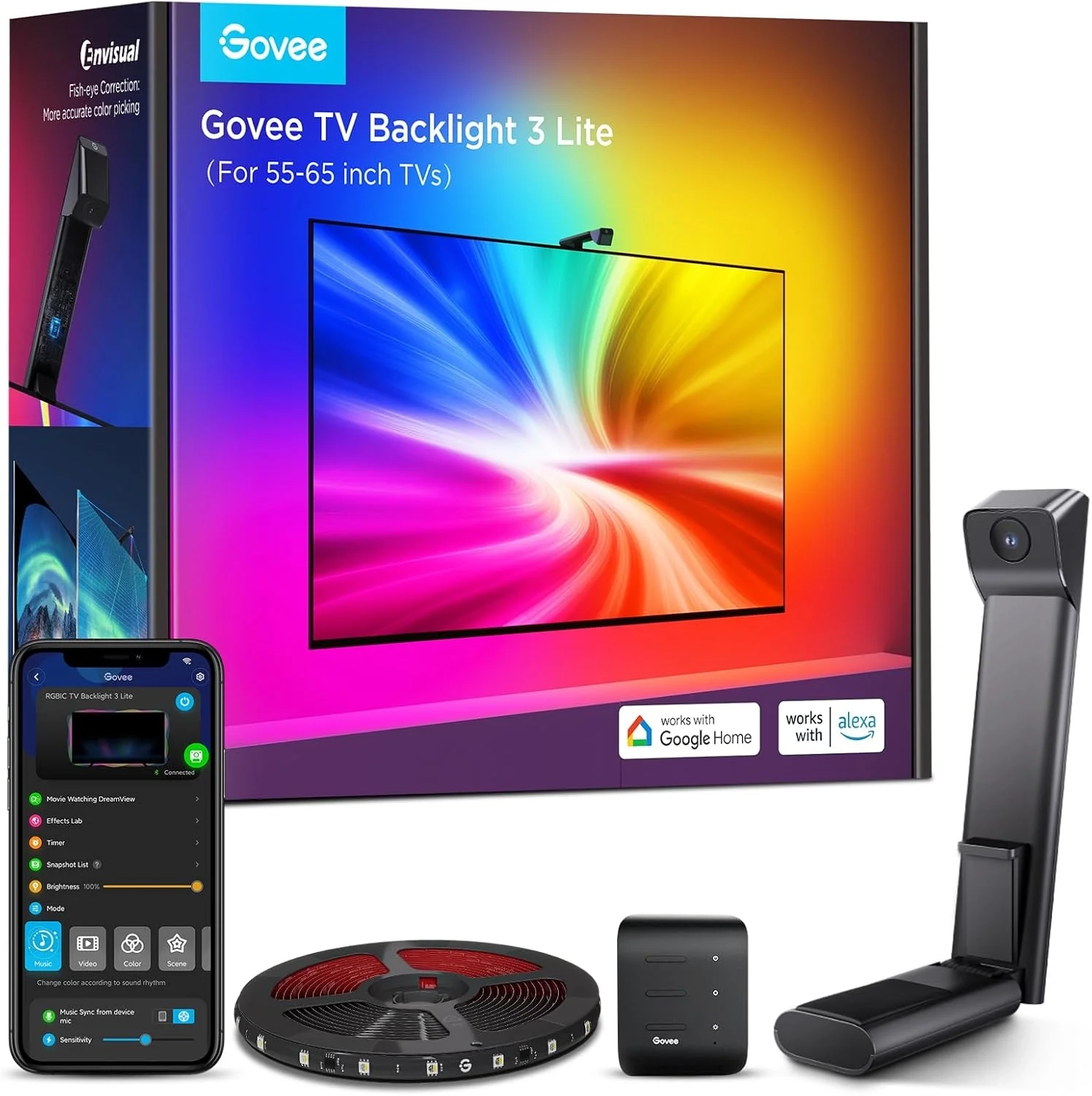
Govee TV Backlight 3 Lite Setup for 55-65 Inch TVs
Introduction
Imagine your favorite movie scene, where the colors on your screen spill out into the room, wrapping you in a truly immersive experience. This is the magic of smart TV backlighting, a technology that has evolved far beyond simple bias lighting. The Govee Envisual T2 TV Backlight 3 Lite represents a significant leap forward in this category, bringing cinematic immersion into more living rooms.
This system uses a clever camera and advanced LED strips to sync your room’s lighting with the on-screen action in real time. It’s designed to enhance everything from blockbuster films to intense gaming sessions, transforming your viewing area into a dynamic part of the entertainment.
Smart TV Backlighting Problems and Solutions
Many users dive into smart lighting expecting plug-and-play perfection, only to face a few common hurdles. A frequent issue is inaccurate color matching, where the lights show a different hue than the screen’s edge, breaking immersion. Others struggle with complicated installation or lights that don’t work well with varied content like games or streaming apps.
There’s also the concern of a camera wobbling on a thin TV or lights that feel disconnected from the rest of your Smart Home setup. These problems can make what should be an upgrade feel more like a technical chore.
Step-by-Step Solutions
Getting the most from your backlighting system is straightforward with the right approach.
- Perfect Your Camera Placement: Use the included gravitational hanging design. This stabilizes the camera on ultra-thin TVs without wobble, ensuring it captures the screen accurately.
- Calibrate for Your Room: Follow the in-app calibration process carefully. The upgraded chip with fish-eye correction expands the effective range, so take your time to map the screen edges correctly for precise color matching.
- Explore the App Features: Dive into the Govee Home App to customize your experience. Activate settings like black bar elimination for movies or adjust sensitivity for fast-paced gaming content.
- Build Your Ecosystem: Utilize the Govee DreamView syncing function. You can link up to 7 additional Govee lights, like floor lamps or light bars, to create a unified 360-degree immersive view that extends beyond the TV.
Alternatives and Comparisons
The T2 3 Lite sits in a competitive field. Basic LED strips without a camera are a budget-friendly alternative but offer only static colors or simple music modes, lacking real-time sync. Other camera-based systems exist, but the 3 Lite’s key differentiator is its 4-in-1 lamp bead (RGBICW) technology, which adds a dedicated warm white chip for more natural and vivid whites compared to standard RGBIC strips.
When compared to higher-end models in the Smart Home category, the 3 Lite often forgoes features like multiple camera tracking for a more accessible price point, focusing on core immersion for any TV content.
Practical Use Cases
This technology shines in everyday scenarios. For movie nights, it eliminates dark letterbox bars by extending the image’s colors into your room, making a 65-inch screen feel larger. Gamers will appreciate the instant reaction to on-screen explosions and health bars, deepening engagement with titles from the Gaming and Accessories realm.
It’s also perfect for ambient viewing. Set a static color for sports or use a rhythmic music mode during parties, all controllable via voice commands through Alexa or Google Assistant for a truly hands-free experience.
FAQs
What is the Govee Envisual T2 system?
The Govee Envisual T2 is a smart TV backlighting system. It uses a camera to analyze your screen’s content in real time and syncs multicolored LED strips attached to the back of your TV to match and extend those colors into your room.
How does camera-based backlighting compare to simpler LED strips?
Camera-based systems like the T2 3 Lite actively match what’s on screen dynamically, creating true immersion. Simpler LED strips without a camera can only display preset colors or react to sound, not the actual visual content, making them less effective for home theater purposes.
Is the Govee T2 3 Lite worth it for non-gamers?
Absolutely. While gamers love it, the primary benefit is enhancing any visual content. Its full compatibility means it works seamlessly with streaming movies, TV shows, and even YouTube videos, adding a cinematic layer to all your viewing that standard lighting cannot match.
Conclusion
The Govee Envisual T2 TV Backlight 3 Lite offers a compelling way to elevate your home entertainment. By solving common issues like installation and color accuracy, it delivers on the promise of immersive, screen-synced lighting. Whether you’re a cinephile, a casual streamer, or a dedicated gamer, this system can transform your living room into a more dynamic and engaging space.
About This Topic
Smart TV backlighting, specifically camera-based immersive lighting systems, refers to technology that extends the colors from your television screen onto your wall in real time. It goes far beyond basic bias lighting by actively analyzing the on-screen content to create a dynamic, color-matched glow that makes the viewing experience more engaging and cinematic.
This technology benefits anyone looking to enhance their home entertainment setup. Movie enthusiasts and casual TV watchers gain a more theater-like experience, while video game players enjoy deeper immersion as the room reacts to in-game action. It’s particularly valuable for owners of flat-screen TVs in darkened living rooms, where the effect is most pronounced.
A common misconception is that these systems are just colorful decorations or are overly complex to set up. Modern kits, however, are designed for user-friendly installation and offer smart activation through simple mobile apps or voice commands. Another concern is compatibility, but leading systems are built to work with any HDMI or streaming content without special setup. The core value lies in their ability to make any content—from Netflix films to console gaming—feel more expansive and vivid, effectively making your screen appear larger and more part of your room’s environment.
- Product Type: TV backlight LED strip lights with smart camera synchronization
- Light Technology: RGBICW LEDs (Red, Green, Blue, Independent Chip, White) for multi-zone color
- Total Length: 11.8 feet / 3.6 meters
- Number of Individual LEDs: 108 light sources
- Power Input: Corded electric
- Power Adapter Output: 12 Volts DC
- Total Power Consumption: 24 watts
- Dimmable: Yes, adjustable brightness
- Primary Material: Plastic
Performance & Features:
- Real-time screen color matching via camera
- Black bar detection and elimination for movies
- Blank screen detection for power saving
- Fish-eye lens correction for accurate color capture
- Multi-zone color effects (RGBIC)
- App control with customizable scenes and schedules
- Voice control compatibility (works with Alexa and Google Assistant)
Compatibility & Use:
- Designed for indoor use only
- Compatible with most TVs 55 inches to 65 inches
- Requires a flat surface for camera placement (top or bottom of TV)
- Control via “Govee Home” app (iOS/Android)
- Voice control via Amazon Alexa or Google Assistant devices
Included Components:
- 11.8ft / 3.6m LED strip lights
- Main control box
- Camera with adjustable mount
- Power adapter
- Connection cables
General Specifications:
- Item Weight: 1.63 pounds / 740 grams
- Model Number: H6099 / H60991D1
- Style: Modern
- Color: Multicolor

