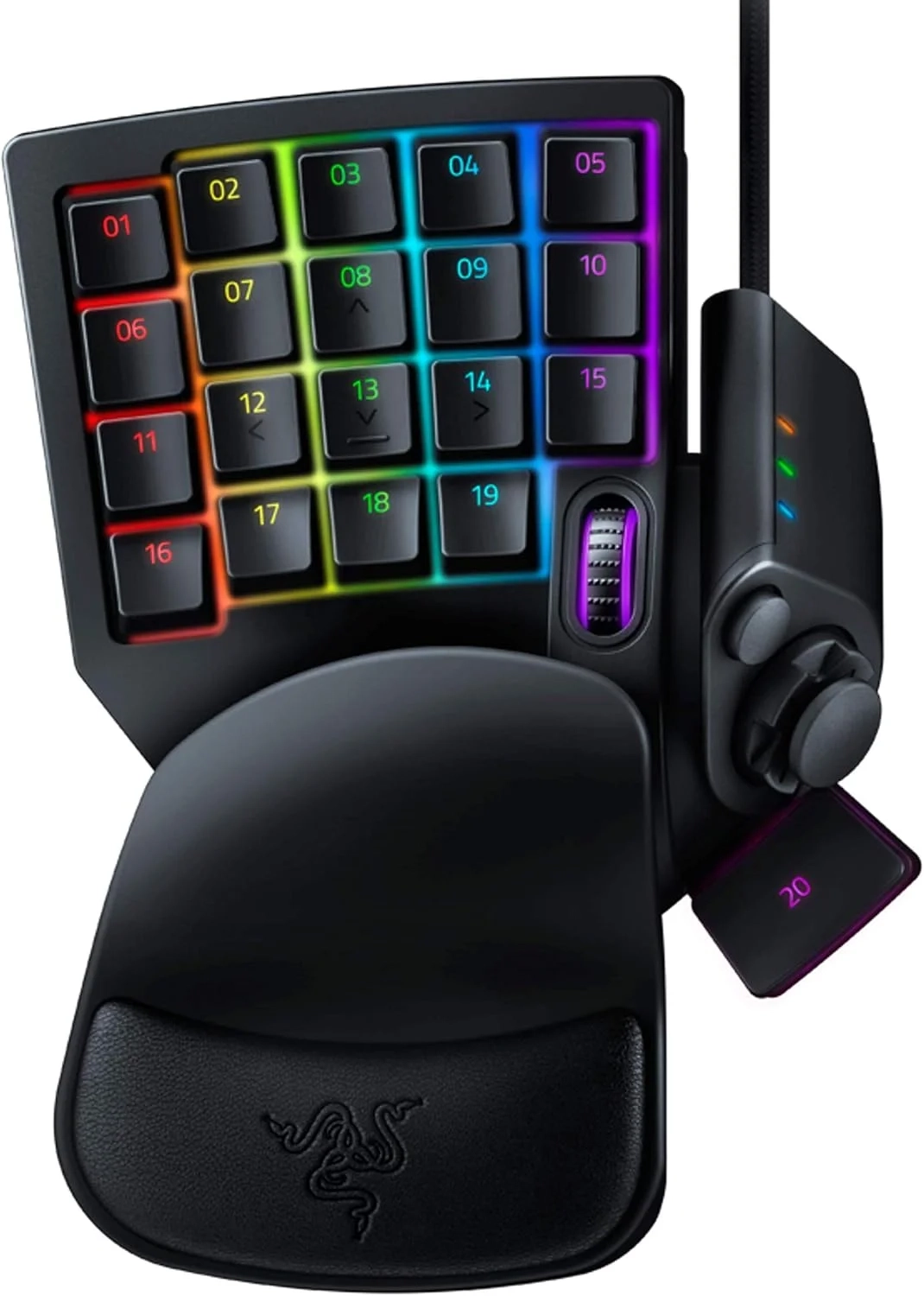
Razer Tartarus V2: 32 Programmable One-Handed Keypad
The Razer Tartarus V2 is a gaming keypad designed to enhance control through its array of programmable keys and ergonomic design. This article covers the setup process for its customizable keys and backlighting via Razer Synapse, along with an evaluation of its ergonomic features for extended use.
About This Topic: Mecha-Membrane Gaming Keypads
This topic explores specialized gaming keypads, a category of peripheral designed to provide a concentrated and highly customizable control interface for PC gamers and power users. Unlike a full keyboard, these devices typically feature a smaller set of keys optimized for gaming commands, ergonomic design, and deep software integration.
At the core of these devices is the mecha-membrane switch technology, which combines the familiar, quiet, and cushioned press of a rubber dome membrane with the sharp, tactile click of a mechanical switch. This hybrid approach is engineered for those who desire the tactile feedback of a mechanical key press for gaming accuracy, but prefer the softer actuation and reduced noise of a membrane for comfort during long sessions.
Who Benefits from This Advice?
This information is most valuable for:
- PC Gamers seeking a competitive edge, especially in MMOs, MOBAs, and strategy games where dozens of hotkeys are essential.
- Console Gamers transitioning to PC who prefer a thumbpad for character movement over traditional WASD keys.
- Creative Professionals and Streamers who can use programmable macros to streamline complex software commands or broadcasting actions.
- Anyone looking for a more ergonomic and dedicated gaming control surface to replace the scattered keys of a full-sized keyboard.
Key Features and Their Benefits:
- High-Performance Mecha-Membrane Switches: Deliver the tactile feedback of mechanical key presses on a comfortable, soft-cushioned membrane dome, ideal for gaming marathons without sacrificing performance.
- 32 Programmable Keys: Offers an extensive array of fully programmable keys for more hotkeys and actions, perfect for complex gaming skill rotations or integrating multi-step commands into creative workflows.
- 8-Way Directional Thumbpad: Provides improved and more natural movement controls, offering a console-style analog stick alternative for movement and camera controls, which many find more ergonomic than keyboard-based navigation.
- Fully Programmable Macros: Advanced software like Razer Hypershift allows every key and keypress combination to be remapped to execute complex commands, enabling sophisticated automation for gaming or productivity.
- Deep Ecosystem Integration: Synchronization with platforms like Razer Chroma for ultimate personalization and gaming immersion, allowing lighting to react to in-game events and creating a unified visual experience across a wide array of compatible hardware and games.
Addressing Common Questions:
- “Is this just a noisy mechanical keyboard?” No. The mecha-membrane design significantly reduces acoustic noise compared to traditional clicky mechanical switches while preserving a tactile bump, making it a considerate choice for shared spaces.
- “Why a thumbpad instead of just using WASD?” The thumbpad caters to different ergonomic preferences and muscle memory, often providing smoother, more analog-like control for movement-intensive games, and is a familiar interface for those accustomed to console controllers.
- “Do I still need a regular keyboard?” Yes. These keypads are designed as a supplemental gaming and command center. You will still require a standard keyboard for typing and general computer navigation.

