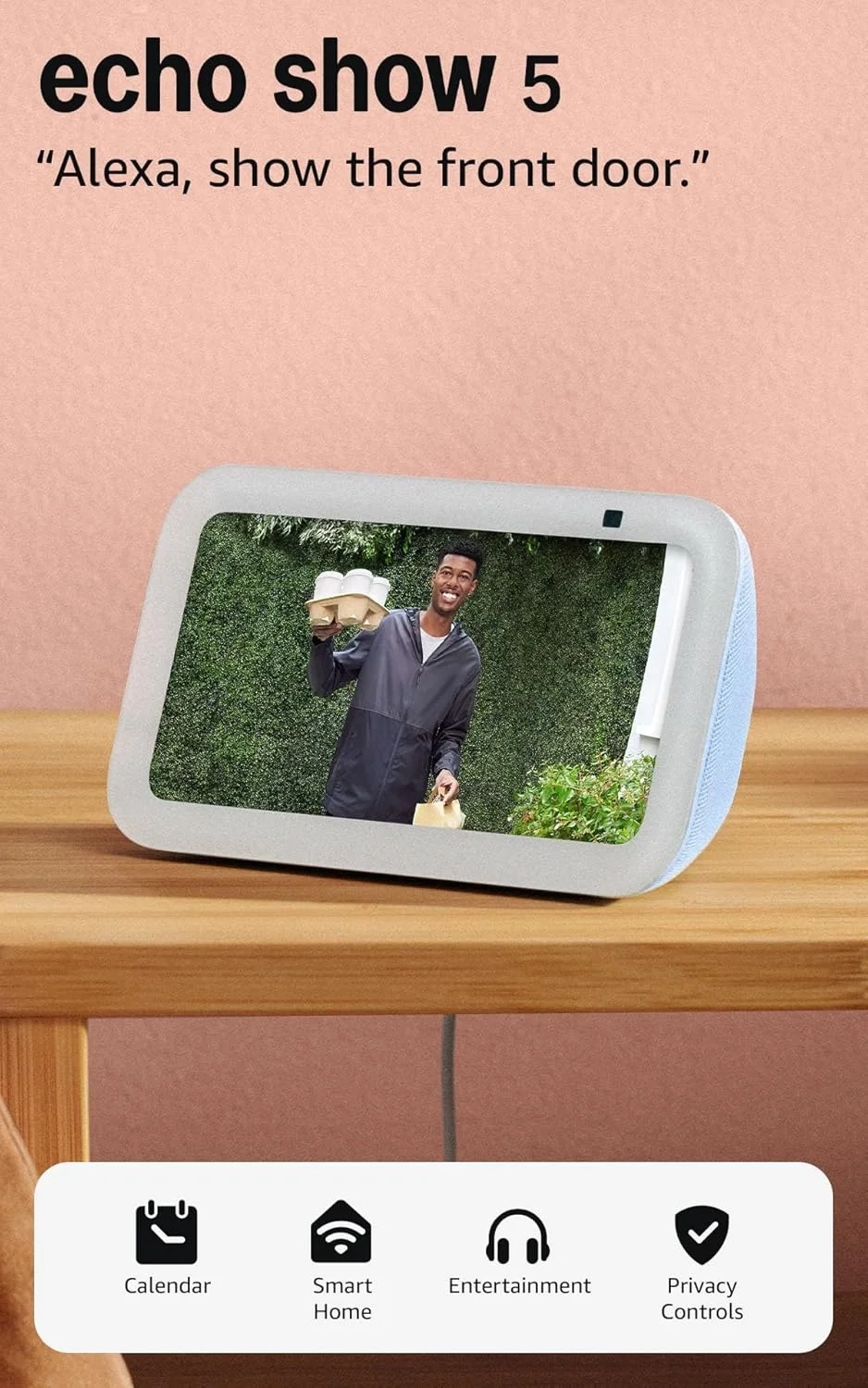
Amazon Echo Show 5: Newest Model with Enhanced Bass
Introduction
The Echo Show 5 is a compact smart display that brings Alexa into your home with a visual twist. This device combines the convenience of a voice assistant with a useful screen, making daily tasks more interactive. It’s perfect for checking the weather, managing Smart Home gadgets, or catching up on the news over your morning coffee.
Its small footprint makes it ideal for tight spaces like a nightstand or kitchen counter. This article will explore how to get the most from your Echo Show 5, turning it from a simple speaker into a central hub for your digital life.
Echo Show 5 Features and Setup
Many users set up their Echo Show 5 and only use it for basic tasks like setting timers or playing music. They might not realize its full potential for home management, communication, and entertainment. Understanding the range of features available is key to making this device a true asset.
Common questions include how to best use the camera for security, integrate it with other smart devices, or personalize the display. Without proper setup, you could be missing out on its most helpful functions, like video calling or checking your smart home cameras.
Step-by-Step Solutions
To unlock everything your Echo Show 5 offers, follow these simple steps.
First, personalize your settings. Go into the device’s display options to set up a photo slideshow from your Amazon Photos. You can also choose useful widgets for your home screen, like your calendar or to-do list.
Next, connect your smart home devices. Use the Alexa app to discover and link compatible lights, plugs, and thermostats. You can then control them with your voice or by tapping the screen. For security, link compatible video doorbells or cameras to view live feeds directly on the display.
Finally, explore communication features. Register your contacts to make hands-free video calls to other Echo devices or the Alexa app. You can also use “Drop In” to connect instantly to other Echo Shows in your home, perfect for checking on different rooms.
Alternatives and Comparisons
The Echo Show 5 sits in a competitive field of smart displays. Compared to the larger Echo Show 8 or 10, it sacrifices screen size for a smaller, more discreet profile, making it better for bedrooms or small apartments. Its audio, while improved, is less powerful than its bigger siblings.
Against Google’s Nest Hub, the Echo Show 5’s main advantage is its built-in camera for video calls, which the Nest Hub lacks. However, the Nest Hub often excels in visual recipe guidance and sleep sensing. Your choice depends on whether you prioritize video communication or a camera-free, wellness-focused device.
Practical Use Cases
Imagine starting your day with your Echo Show 5 on your nightstand. A gentle alarm wakes you, and you immediately see the day’s forecast and your first calendar appointment. While making coffee, you ask Alexa to show the live feed from your front door camera in the Smart Home category.
In the evening, use it to follow a recipe hands-free in the kitchen, or stream a show from Prime Video. Before bed, set a routine that turns off your smart lights and plays relaxing sounds. It also serves as a digital photo frame, showcasing memories from your Cameras and Photos collection when idle.
FAQs
What is the Echo Show 5 best used for?
The Echo Show 5 is best used as a compact command center for your smart home, a personal assistant for schedules and weather, a device for video calls with family, and a digital photo frame. Its small size makes it perfect for bedrooms, kitchens, or offices.
How does the Echo Show 5 compare to an Echo Dot?
The key difference is the screen. While both offer Alexa voice control, the Echo Show 5’s display lets you see information, watch video content, make video calls, and view camera feeds. The Dot is an audio-only device, better for simple voice commands and music listening in any room.
Is the Echo Show 5 worth it for privacy-conscious users?
Yes, Amazon has designed it with privacy controls. It features a physical microphone/camera off button and a built-in camera shutter. You can also review and delete voice recordings. For added security, it supports viewing end-to-end encrypted video from compatible Ring cameras.
Conclusion
The Echo Show 5 is a versatile and compact smart display that does much more than answer questions. By setting it up to manage your smart home, stay connected with loved ones, and display your favorite memories, it becomes an integral part of your daily routine. Its thoughtful design balances powerful features with strong privacy controls, making it a trustworthy addition to any modern home.

