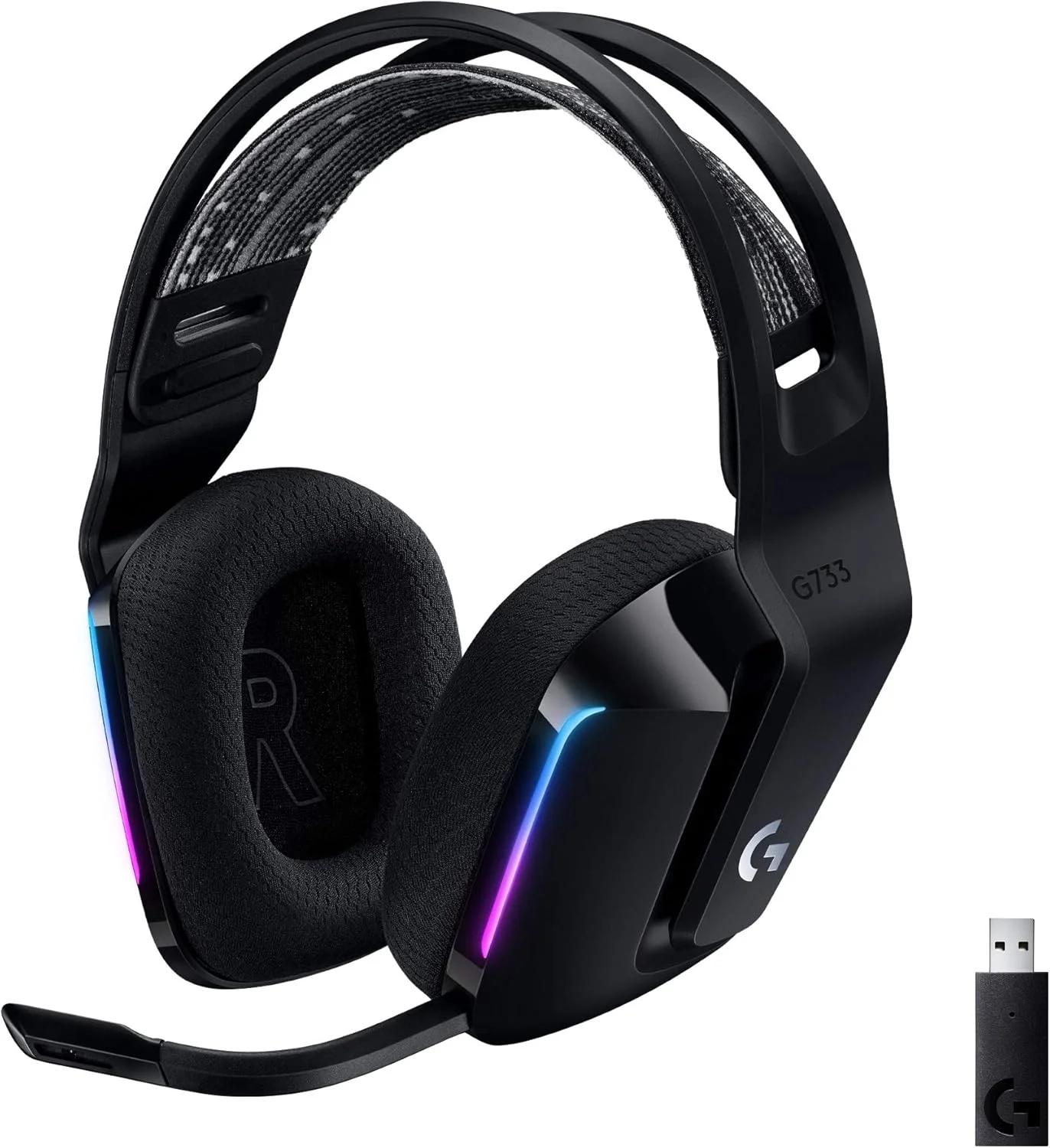
Logitech G733 Wireless Gaming Headset Review
Looking for the best wireless gaming headset for PC? This guide covers the Logitech G733’s key features, from its 29-hour battery life to its Blue VO!CE mic filters. It’s ideal for gamers and streamers who often want to know how a headset balances performance with personal style.
Introduction
Personalizing your gaming setup has become a key part of the experience, and lighting is at the forefront. For owners of a Logitech wireless gaming headset, the ability to customize RGB lighting adds a layer of immersion and style that goes beyond simple audio. This feature transforms your gear from a mere tool into an extension of your gaming persona.
With advanced software like Logitech G HUB, you have unprecedented control over your headset’s aesthetics. This guide will walk you through how to unlock the full potential of your device’s lighting, ensuring your setup looks as good as it sounds.
Logitech Headset Lighting Customization Problems and Solutions
Many users purchase a wireless gaming headset for its audio quality and comfort, only to overlook its lighting features. A common issue is not knowing how to access or change the default RGB patterns. Others struggle with syncing their headset’s lights with other devices in their setup for a unified effect.
Sometimes, the G HUB software might not detect the headset, or preset animations may not apply correctly. These problems can make the customization process frustrating, leaving a premium feature unused. Fortunately, the solutions are often straightforward.
Step-by-Step Solutions
Getting your Logitech headset RGB to work perfectly involves a few simple steps.
- Install and Update Logitech G HUB: First, download the latest version of G HUB from Logitech’s official website. Ensure the software is fully updated to guarantee compatibility.
- Connect Your Headset: Power on your wireless gaming headset and connect it via its included USB Lightspeed wireless receiver. Open G HUB—it should automatically detect your device.
- Navigate to the Lighting Section: In G HUB, click on your headset’s icon. Look for the “LIGHTSYNC” tab, which houses all lighting controls.
- Choose Your Effect: You can select from presets like “Fixed” (one color), “Cycle” (colorshift), or “Breathing.” For more dynamic setups, explore “Audio Visualizer” where lights react to your game’s sound.
- Customize and Save: Adjust colors from a palette of 16.8 million options and tweak the animation speed. You can create different profiles for various games or moods and save them for quick switching.
Alternatives and Comparisons
While Logitech G HUB is the dedicated platform for Logitech gear, other brands use different software like Razer Synapse or SteelSeries Engine. These platforms offer similar RGB customization but are exclusive to their own ecosystems.
The main advantage of G HUB is its deep integration with Logitech’s Lightsync RGB technology, allowing for game-specific lighting profiles that react to in-game action. Some third-party apps like SignalRGB aim to unify different brands, but for seamless control of a Logitech wireless headset, G HUB remains the most reliable and feature-rich option.
Practical Use Cases
Custom lighting isn’t just for show; it has practical applications. You can set a specific color profile for a competitive FPS game, like a static red for focus, and a vibrant, cycling scheme for an immersive RPG.
Streamers can use lighting to enhance their broadcast aesthetic, syncing colors with their brand. Furthermore, setting a dim, fixed color can reduce visual distraction during late-night gaming sessions while maintaining the sleek look of your gear. This level of personalization is a hallmark of modern gaming and accessories.
FAQs
What is Logitech Lightsync RGB?
Logitech Lightsync RGB is proprietary technology that allows for advanced, zone-specific lighting control on compatible devices. It can display preset animations, react to audio, or even interact with supported games for immersive light effects.
How does G HUB compare to other gaming software?
G HUB is specifically designed for Logitech peripherals, offering deep device integration and reliable performance. While other software like Razer Synapse is equally robust for its own products, G HUB is the best choice for managing your Logitech headset lighting and other Logitech gear in one place.
Is RGB customization worth it for casual gamers?
Absolutely. Even casual gamers can appreciate the ability to match their headset to their setup’s color scheme or simply express their style. It’s a simple way to enhance your personal gaming environment without impacting performance, much like choosing stylish Wearable Technology.
Conclusion
Unlocking the full visual potential of your Logitech wireless gaming headset is a simple process that greatly enhances your setup. By using Logitech G HUB software, you can transform the built-in RGB lighting from a standard feature into a personalized statement. From syncing with your game to creating a unique ambiance, these tools put you in control of your audio-visual experience.
About This Topic
This topic focuses on customizing the RGB lighting features found on many modern Logitech wireless gaming headsets. It involves using official software to change colors, patterns, and animations, turning a functional audio device into a personalized component of a gaming setup.
This guide benefits anyone who owns a compatible Logitech headset, from beginners looking to try out basic color changes to enthusiasts who want to deeply integrate their headset lighting effects with their entire battlestation. It is particularly useful for streamers and content creators who want their gear to match their on-screen aesthetic.
A common misconception is that these lighting features are complicated or require technical expertise. In reality, the process is user-friendly and managed through intuitive software. Another concern is that RGB lighting drastically reduces battery life; while it has an impact, modern headsets like those in the wireless gaming headset category are engineered to balance vibrant lighting with long-lasting battery performance for extended play sessions.

