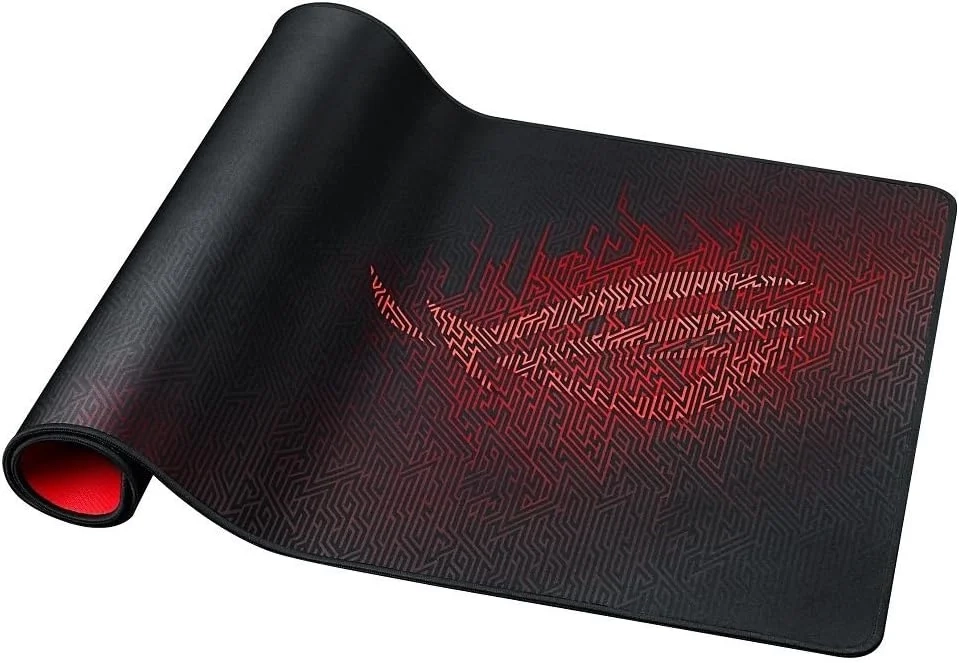
ASUS ROG Sheath Mouse Pad Review and Setup Guide
This guide explores the features and benefits of the ROG Sheath II XXL gaming mousepad. Many users look for a high-performance surface, and we cover its cooling fabric, smooth texture, and durable construction. It’s ideal for PC gamers and professionals seeking a spacious, reliable desk pad.
Introduction
For PC gamers, every detail matters in the pursuit of victory. From milliseconds of latency to the perfect click, your setup is your command center. A critical yet often overlooked component is the surface your mouse glides on. This is where a high-performance gaming mouse pad transforms from an accessory into an essential tool. The right pad provides the consistent foundation needed for precision, speed, and comfort during marathon sessions.
Gaming Mouse Pad Problems and Solutions
Many gamers struggle with inconsistent performance without realizing their mouse pad is the culprit. A standard office pad can cause sensor jitter, unpredictable glide, and premature wear on mouse feet. Others face issues with size constraints, limiting wide swipe movements essential in FPS games, or with surfaces that become sticky and slow over time. Heat and moisture buildup can also make long gaming sessions uncomfortable.
The solution lies in selecting a pad engineered specifically for gaming. These are designed to solve these exact problems, offering optimized surfaces, durable materials, and sizes that match a gamer’s physical needs. Upgrading this single component can lead to a immediate and noticeable improvement in control and consistency.
Step-by-Step Solutions
Choosing the perfect gaming mouse pad involves a few key considerations:
- Determine Your Size Needs: Measure your desk space and consider your gaming style. A large, table-sized pad (900mm x 400mm) offers unrestricted movement for low-sensitivity players, while a medium pad saves space.
- Select Your Surface Type: Speed pads with hard or hybrid surfaces offer minimal friction for fast, gliding movements. Control pads with textured cloth provide more stopping power for precise targeting.
- Prioritize Core Features: Look for a stitched edge to prevent fraying, a non-slip rubber base, and a thickness that feels comfortable for your wrist. Materials with enhanced heat dissipation will keep you cool.
- Match It to Your Mouse: Ensure the pad’s surface is compatible with your mouse sensor. Most modern gaming mice work flawlessly on mainstream pads, but it’s worth a quick check.
Alternatives and Comparisons
The main alternative to a dedicated gaming pad is using a standard cloth pad or even a bare desk. However, these lack the optimized glide, durability, and size of a true gaming surface. Within the gaming mouse pad category, you’ll also find hard plastic pads, which offer extreme speed but less control and can be noisy, and hybrid pads that aim to blend the benefits of both cloth and hard surfaces.
Another comparison is between branded pads from peripheral companies and third-party offerings. Often, third-party pads provide exceptional value and quality, matching or exceeding the performance of more expensive branded options, especially in the Computer and Accessories category.
Practical Use Cases
A large, high-quality pad is invaluable for an FPS player who uses low sensitivity, requiring long, sweeping arm movements to turn quickly. The consistent glide ensures every flick shot is accurate. For a MOBA or RTS player, the focus is on rapid, precise clicks; a control-oriented pad helps prevent overshooting targets during intense micro-management.
Furthermore, a full-desk sized pad acts as a unified surface for your keyboard and mouse, protecting your desk and creating a cohesive, professional gaming station look. This is a popular trend in the Gaming and Accessories space, blending performance with aesthetics.
FAQs
What is the main benefit of a gaming mouse pad?
The primary benefit is consistent, reliable tracking and glide. This eliminates variables, allowing your muscle memory to develop on a uniform surface, which directly translates to improved in-game accuracy and control.
How does a cloth gaming pad compare to a hard pad?
A cloth gaming surface generally offers more control and stopping power, is quieter, and often includes comfort features like stitching and cushioning. A hard pad provides a faster, almost frictionless glide but can be less comfortable for long periods and may wear down mouse feet faster.
Is a large gaming mouse pad worth it for a casual gamer?
Even casual gamers will appreciate the practical benefits. A large pad protects your desk, provides ample room for both keyboard and mouse, and ensures you never run out of space mid-game. The comfort and improved consistency are worthwhile upgrades for any level of play.
Conclusion
Investing in a proper gaming mouse pad is one of the most cost-effective upgrades you can make to your setup. It directly enhances the performance of your most important peripheral—your mouse. By providing a consistent, durable, and comfortable foundation, a quality pad removes a layer of unpredictability, letting your skill shine through. Whether you prioritize speed, control, or desk coverage, the right pad is a simple change with a profound impact on your gaming experience.
About This Topic
A gaming mouse pad is a specialized surface designed to optimize the tracking, glide, and accuracy of a gaming mouse. Unlike standard pads, it is engineered with high-quality materials like advanced cooling fabric and features such as anti-fray stitching to ensure consistent performance and long-term durability during intense gameplay. These pads are built to handle rapid, precise movements and provide a stable foundation for optical and laser sensors.
This topic is most relevant to PC gamers of all levels, from competitive esports professionals to enthusiastic hobbyists. Beginners will notice an immediate improvement in control, while experienced players rely on these pads for the marginal gains that define high-level play. Anyone who uses a mouse for extended periods, including graphic designers or streamers in the Technology Blog sphere, may also benefit from the ergonomic and precision advantages.
Common misconceptions include the belief that any flat surface will do, or that a more expensive pad doesn’t offer tangible benefits. In reality, the right mouse pad for gaming solves real problems like sensor jitter, inconsistent glide, and discomfort. Concerns about size or cleaning are also addressed by the variety of options available, from easy-to-clean hard surfaces to spacious, desk-covering mats that streamline your entire workspace.
Product Specifications
- Brand: ASUS ROG
- Model: NC20 ROG Sheath II XXL
- Color: Black
- Primary Material: Cooling fabric with a non-slip rubber base
- Package Contents: 1 x Gaming Mouse Pad
Physical Dimensions & Weight
- Surface Area (Overall Size): 35.4 x 15.7 inches (900 x 400 mm)
- Thickness / Height: 0.1 inches (3 mm)
- Product Weight: 1.3 pounds (0.59 kg)
- Package Dimensions: 17.6 x 3.82 x 3.46 inches (447 x 97 x 88 mm)
- Package Weight: 0.74 kg (1.63 pounds)
Performance & Design Features
- Surface Type: Optimized textured fabric for precise control and smooth gliding
- Base Material: High-grip rubber to prevent sliding and shift during gameplay
- Key Feature: Cooling fabric technology for enhanced comfort during extended gaming sessions
Compatibility & Use
- Form Factor: Extra extra-large (XXL) desk pad
- Use Case: Designed for gaming setups, provides ample space for low-DPI arm movements and full keyboard and mouse placement
- Compatibility: Suitable for all mouse sensor types (optical, laser) and mechanical keyboards
Warranty & Support
- Manufacturer Warranty: 1-year limited warranty

