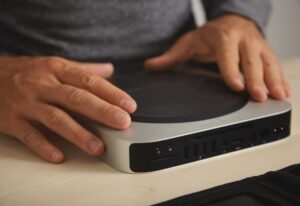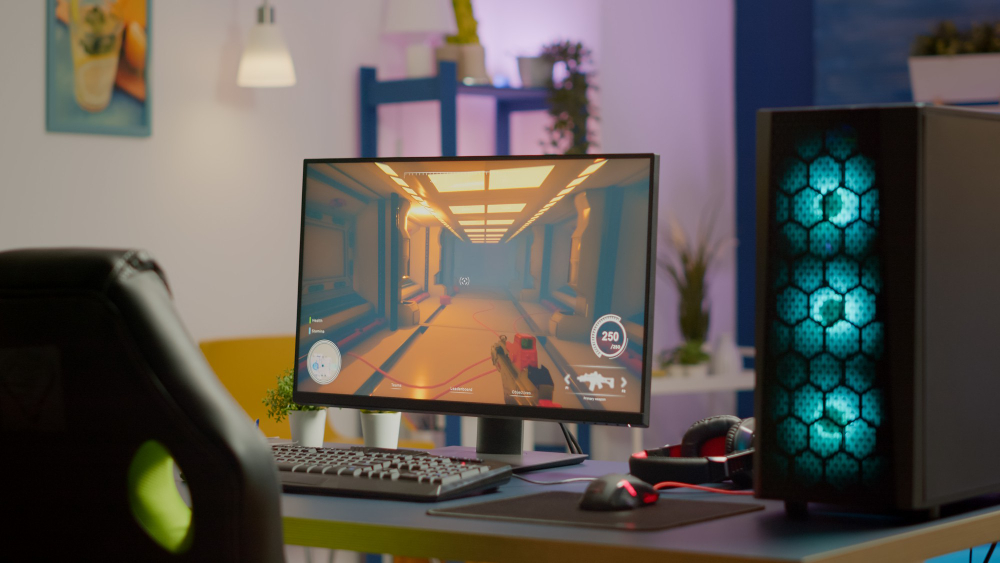
A powerful desktop PC setup ideal for programmers and developers in 2026, featuring a high-speed processor, modern GPU, and clean workspace design.
Best Desktop PCs for Programmers & Developers 2026
Disclosure: As an Amazon Associate, I earn from qualifying purchases. Some links below are affiliate links that help support this site at no extra cost to you.
📋 Quick Navigation
- Why Programmers Are Switching Back to Desktops
- Desktop vs Laptop: The Ultimate Showdown
- What Programmers Need in a Desktop PC
- Top Desktop PCs at a Glance
- Best Workstation Desktops for Professionals
- Best Gaming Desktops for Programmers
- Best Compact & Mini PCs
- Best Value & Budget Desktops
- Comparison Table
- How to Choose the Perfect Desktop for Your Workflow
- Real-World Case Study: How a Desktop Saved One Programmer’s Sanity
- Frequently Asked Questions
- Related Guides
Why Programmers Are Switching Back to Desktops
For years, laptops have dominated the programming world. Portability seemed worth the compromises. But in 2026, a surprising trend is emerging: programmers are switching back to desktops.
The Laptop Compromise
| Sacrifice | Impact |
|---|---|
| Thermal Throttling | 20-40% performance loss under sustained loads |
| Limited Upgradability | Soldered RAM, proprietary components |
| Keyboard/Trackpad | Compromised ergonomics |
| Screen Size | Cramped multitasking |
| Noise | Jet-engine fans during compilation |
| Price | Pay premium for portability |
The Desktop Advantage
| Benefit | Why It Matters |
|---|---|
| Unlimited Performance | No thermal throttling, full CPU/GPU power |
| Upgradable | Swap components as needs grow |
| Ergonomic Freedom | Choose your own keyboard, mouse, monitors |
| Quiet Operation | Larger fans, better cooling = less noise |
| Better Value | 30-50% more performance per dollar |
| Longer Lifespan | 5-7 years vs 3-4 for laptops |
For programmers running heavy workloads—compilation, virtual machines, Docker, machine learning—a desktop isn’t just better; it’s necessary.
Desktop vs Laptop: The Ultimate Showdown
Performance Comparison (Same Price Point)
| Metric | Desktop (e.g., Dell Precision) | Laptop (e.g., Dell XPS) |
|---|---|---|
| CPU Performance | 100% (baseline) | 60-80% (thermal throttling) |
| GPU Performance | 100% | 50-70% (mobile version) |
| Upgradability | Yes | No |
| Noise Level | 20-30 dBA | 40-50 dBA under load |
| Lifespan | 5-7 years | 3-4 years |
| Price/Performance | Excellent | Premium |
Who Should Choose What?
| Your Workflow | Recommendation |
|---|---|
| Work from one location | Desktop |
| Heavy compilation/VMs | Desktop |
| Machine learning | Desktop (GPU critical) |
| Travel frequently | Laptop |
| Coffee shop coder | Laptop |
| Mix of office and home | Laptop + external monitor |
What Programmers Need in a Desktop PC
1. CPU: The Brain of Your Workstation
| CPU Type | Best For | Examples |
|---|---|---|
| Intel Core Ultra 7/9 | General development, productivity | Ultra 7 165H, Ultra 9 185H |
| AMD Ryzen 7/9 | Multi-threaded workloads, compilation | Ryzen 7 9700X, Ryzen 9 9950X |
| Intel Xeon W | Workstation tasks, ECC memory | Xeon W-2400 series |
| AMD Threadripper | Extreme multi-threading | Threadripper 7000 series |
For most programmers: Intel Core Ultra 7 or AMD Ryzen 7 is the sweet spot. For heavy compilation and virtualization, step up to Core Ultra 9 or Ryzen 9.
2. RAM: Your Multitasking Lifeline
| RAM | Capacity | Best For |
|---|---|---|
| 16GB | Minimum | Light development, web dev |
| 32GB | Recommended | Full-stack, multiple VMs |
| 64GB | Heavy | Docker, large projects, data science |
| 128GB+ | Extreme | Machine learning, simulations |
Crucial: Always choose DDR5 over DDR4 for future-proofing.
3. Storage: Speed Matters
| Storage Type | Speed | Best For |
|---|---|---|
| NVMe SSD (PCIe 4.0) | 5,000-7,000 MB/s | OS, applications, active projects |
| NVMe SSD (PCIe 5.0) | 10,000-14,000 MB/s | Cutting-edge performance |
| SATA SSD | 500 MB/s | Secondary storage |
| HDD | 100-200 MB/s | Backup, archives |
Pro tip: 1TB NVMe SSD for OS + projects, plus 2TB+ secondary storage for backups.
4. GPU: When Do You Need One?
| Workflow | GPU Need | Recommendation |
|---|---|---|
| Web/Backend Development | None | Integrated graphics fine |
| Game Development | Essential | RTX 4070+ or equivalent |
| Machine Learning | Essential | RTX 4080/4090 with 16GB+ VRAM |
| Data Visualization | Helpful | RTX 4060+ |
| Video/3D Work | Essential | RTX 4070+ |
5. Connectivity: Ports and Expansion
| Port | Why You Need It |
|---|---|
| USB-C/Thunderbolt | Docks, fast peripherals |
| USB-A | Keyboards, mice, legacy devices |
| HDMI/DisplayPort | Multiple monitors |
| Ethernet | Stable network connection |
| Wi-Fi 7 | Future-proof wireless |
Top Desktop PCs at a Glance
| Model | Type | Best For | CPU | GPU | RAM | Price |
|---|---|---|---|---|---|---|
| Dell Precision 5000 Series | Workstation | Professional development | Xeon W / Core Ultra | RTX Ada | 32-128GB | $2,500-$5,000 |
| HP Z Series | Workstation | Engineering, data science | Xeon / Ryzen Pro | RTX Ada | 32-128GB | $2,500-$6,000 |
| Lenovo ThinkStation P3 | Workstation | Value workstation | Core i7/i9 | RTX A-series | 16-64GB | $1,500-$3,000 |
| Apple Mac Studio | Workstation | macOS development | M2 Ultra/M3 | Integrated | 32-128GB | $2,000-$4,000 |
| Dell XPS Desktop | High-End Consumer | General development | Core Ultra 7/9 | RTX 4060-4080 | 16-64GB | $1,500-$3,000 |
| HP OMEN | Gaming | Game dev, ML | Ryzen 7/9 / Core Ultra | RTX 4070-4090 | 16-64GB | $1,500-$3,500 |
| Lenovo Legion Tower | Gaming | Game dev, ML | Ryzen 7/9 | RTX 4060-4090 | 16-64GB | $1,200-$2,500 |
| Intel NUC | Mini PC | Compact, quiet | Core Ultra | Integrated | 16-64GB | $800-$1,500 |
| Apple Mac Mini | Mini PC | macOS, compact | M2/M2 Pro | Integrated | 8-32GB | $600-$1,500 |
| Dell OptiPlex Micro | Mini PC | Office, quiet | Core i5/i7 | Integrated | 8-32GB | $700-$1,200 |
| Beelink SER8 | Budget Mini | Value | Ryzen 7 | Integrated | 16-32GB | $500-$700 |
Best Workstation Desktops for Professionals
1. Dell Precision 5000 Series: The Professional’s Choice
The Dell Precision 5000 series is the gold standard for professional workstations. It’s what engineers, architects, and data scientists trust for mission-critical work.
- CPU: Intel Xeon W or Core Ultra 7/9 (up to 24 cores)
- GPU: NVIDIA RTX Ada Generation (up to RTX 5000 Ada)
- RAM: Up to 128GB DDR5 ECC
- Storage: Up to 8TB NVMe SSD
- Special Features:
- ISV Certification – Tested for AutoCAD, SolidWorks, Adobe
- ECC Memory – Error-correcting for data integrity
- Thermal Design – Sustained performance without throttling
- Dell Optimizer – AI-based performance tuning
- Ports: Thunderbolt 4, USB-A, HDMI, DisplayPort, Ethernet
- Form Factor: Tower (compact or full-size)
Why it’s great for programmers: The ISV certification means this machine is tested to run development tools reliably. The ECC memory prevents data corruption during long compilation runs. It’s built for developers who can’t afford downtime.
Pros:
- Rock-solid reliability
- ECC memory support
- ISV certified
- Excellent thermal design
- Extensive customization
Cons:
- Expensive
- Overkill for basic development
👉 Check price of Dell Precision 5000 on Amazon
2. HP Z Series: The Engineering Workhorse
HP’s Z series workstations are legendary in engineering and development circles. The Z8 Fury is a 32-core monster, but the Z4 and Z6 models offer excellent performance for most developers.
- CPU: Intel Xeon W (up to 28 cores) or AMD Ryzen Pro
- GPU: NVIDIA RTX Ada Generation
- RAM: Up to 256GB DDR5
- Storage: Up to 12TB NVMe SSD
- Special Features:
- Z Turbo Drive – PCIe 4.0/5.0 storage
- Dual LAN – Redundant networking
- Remote management – IT-friendly
- Tool-less access – Easy upgrades
- Ports: Thunderbolt, USB-A, HDMI, DisplayPort, Ethernet
- Form Factor: Tower (multiple sizes)
Why it’s great for programmers: The dual LAN ports are a godsend for developers working with local servers or needing redundant connections. The tool-less access makes upgrading RAM or storage effortless.
Pros:
- Exceptional build quality
- Dual LAN ports
- Easy to upgrade
- Reliable performance
Cons:
- Premium pricing
- Large footprint
👉 Check price of HP Z Series on Amazon
3. Lenovo ThinkStation P3 Tower: Best Value Workstation
The ThinkStation P3 Tower brings workstation-class reliability at a more accessible price point. It’s perfect for developers who need professional features without the premium markup.
- CPU: Intel Core i7/i9 or Xeon W
- GPU: NVIDIA RTX A-series or GeForce
- RAM: Up to 64GB DDR5
- Storage: Up to 4TB NVMe SSD
- Special Features:
- ISV certified – Compatible with major software
- Thermal design – Quiet, efficient cooling
- Flexible configurations
- ThinkStation diagnostics
- Ports: USB-C, USB-A, HDMI, DisplayPort, Ethernet
- Form Factor: Tower
Why it’s great for programmers: The ThinkStation reliability without the extreme price of Dell Precision or HP Z. It’s the perfect middle ground for professional developers.
Pros:
- Great value for workstation features
- ISV certified
- Reliable Lenovo build
- Quiet operation
Cons:
- Fewer expansion slots than premium workstations
👉 Check price of Lenovo ThinkStation P3 on Amazon
4. Apple Mac Studio: The macOS Powerhouse
For developers in the Apple ecosystem, the Mac Studio is the ultimate desktop. It combines the power of the M2 Ultra chip with the elegance of macOS.
- CPU: Apple M2 Ultra (24-core CPU)
- GPU: Apple M2 Ultra (60-core or 76-core GPU)
- RAM: Up to 192GB unified memory
- Storage: Up to 8TB SSD
- Special Features:
- Neural Engine – 32-core, for AI/ML workloads
- Media Engine – ProRes acceleration
- Thunderbolt 4 – 6 ports
- Silent operation – No fans under normal use
- Ports: Thunderbolt 4 (6), HDMI, 10Gb Ethernet, USB-A
- Form Factor: Compact (7.7″ square)
Why it’s great for programmers: The unified memory architecture is revolutionary for development. The CPU, GPU, and Neural Engine all share the same high-speed memory, eliminating bottlenecks. For iOS/macOS developers, there’s no better choice.
Pros:
- Incredible performance per watt
- Silent operation
- macOS ecosystem integration
- Excellent for AI/ML workloads
- Compact size
Cons:
- Expensive
- macOS only
- No internal expansion
👉 Check price of Apple Mac Studio on Amazon
Best Gaming Desktops for Programmers
5. Dell XPS Desktop: The Premium Consumer Choice
The Dell XPS Desktop brings premium design and performance to developers who want a beautiful machine that performs.
- CPU: Intel Core Ultra 7 or 9
- GPU: NVIDIA RTX 4060 to 4080
- RAM: 16-64GB DDR5
- Storage: 1-4TB NVMe SSD
- Special Features:
- Tool-less access – Easy upgrades
- Liquid cooling – Quiet operation
- Wi-Fi 7 – Future-proof wireless
- Elegant design – Fits any workspace
- Ports: USB-C, USB-A, HDMI, DisplayPort, Ethernet
- Form Factor: Tower
Why it’s great for programmers: The tool-less access makes upgrading RAM or storage a breeze. The liquid cooling keeps noise down even during heavy compilation. It’s a beautiful machine that doesn’t compromise on performance.
Pros:
- Elegant design
- Liquid cooling for quiet operation
- Easy to upgrade
- Strong performance
Cons:
- Premium pricing
- GPU options limited vs custom builds
👉 Check price of Dell XPS Desktop on Amazon
6. HP OMEN: Best for Game Development & ML
The HP OMEN line is designed for gaming, but its high-performance components make it perfect for game development and machine learning workloads.
- CPU: AMD Ryzen 7/9 or Intel Core Ultra 7/9
- GPU: NVIDIA RTX 4070 to 4090
- RAM: 16-64GB DDR5
- Storage: 1-4TB NVMe SSD
- Special Features:
- High-end GPUs – RTX 4090 option
- Customizable RGB lighting
- Dual-channel memory
- OMEN Gaming Hub – Performance tuning
- Ports: USB-C, USB-A, HDMI, DisplayPort, Ethernet
- Form Factor: Tower
Why it’s great for programmers: The RTX 4090 option is critical for machine learning developers who need massive GPU memory. The dual-channel memory ensures no bottlenecks during compilation.
Pros:
- High-end GPU options
- Great for ML and game dev
- Customizable performance
- Good value for specs
Cons:
- RGB aesthetic may not suit all offices
- Larger case
👉 Check price of HP OMEN on Amazon
7. Lenovo Legion Tower: Best Value Gaming Desktop
The Lenovo Legion Tower offers excellent performance for the price, making it a favorite among developers who need GPU power without the premium markup.
- CPU: AMD Ryzen 7/9 or Intel Core i7/i9
- GPU: NVIDIA RTX 4060 to 4090
- RAM: 16-64GB DDR5
- Storage: 1-2TB NVMe SSD
- Special Features:
- AI chip – Smart performance tuning
- ColdFront cooling – Quiet operation
- Tool-less access
- Legion Arena – Game/performance management
- Ports: USB-C, USB-A, HDMI, DisplayPort, Ethernet
- Form Factor: Tower
Why it’s great for programmers: The ColdFront cooling keeps noise down during long build sessions. The AI chip optimizes performance based on your workload—compilation, gaming, or ML.
Pros:
- Great value
- Strong cooling
- AI performance tuning
- Easy to upgrade
Cons:
- Build quality not as premium as Dell/HP
👉 Check price of Lenovo Legion Tower on Amazon
Best Compact & Mini PCs
8. Intel NUC: The Powerhouse Mini
Intel’s NUC (Next Unit of Computing) line has evolved into a compact powerhouse that can rival full-sized desktops.
- CPU: Intel Core Ultra 7/9
- GPU: Intel Arc or NVIDIA RTX 4060 (select models)
- RAM: Up to 64GB DDR5
- Storage: Up to 2TB NVMe SSD
- Special Features:
- Ultra-compact – 4″ x 4″ or larger
- VESA mountable – Hide behind monitor
- Thunderbolt 4
- Dual Ethernet (some models)
- Ports: Thunderbolt 4, USB-A, HDMI, Ethernet
- Form Factor: Mini PC
Why it’s great for programmers: The ultra-compact size fits anywhere. The dual Ethernet on some models is perfect for developers running local servers. It’s a clean, minimalist solution for programmers who want power without the tower.
Pros:
- Tiny footprint
- VESA mountable (hide behind monitor)
- Strong performance
- Thunderbolt 4
Cons:
- Limited GPU options
- Pricier than similar-spec towers
👉 Check price of Intel NUC on Amazon
9. Apple Mac Mini: The Compact macOS Machine
The Mac Mini is Apple’s entry-level desktop, but with the M2 or M2 Pro chip, it’s anything but entry-level in performance.
- CPU: Apple M2 or M2 Pro
- GPU: Integrated (10-19 core)
- RAM: 8-32GB unified memory
- Storage: 256GB-8TB SSD
- Special Features:
- Silent operation – No fans under normal use
- Ultra-compact – 7.7″ square, 1.4″ tall
- Thunderbolt 4 – 4 ports on Pro model
- 10Gb Ethernet option
- Ports: Thunderbolt 4, HDMI, USB-A, Ethernet
- Form Factor: Mini PC
Why it’s great for programmers: The Mac Mini is the perfect entry point for macOS development. It’s affordable (starting at $599), quiet, and powerful enough for most development tasks. The M2 Pro model handles heavy compilation and virtualization with ease.
Pros:
- Affordable entry to macOS
- Silent operation
- Compact size
- Strong performance for price
Cons:
- Limited to 32GB RAM
- No internal expansion
👉 Check price of Apple Mac Mini on Amazon
10. Beelink SER8: Best Budget Mini PC
Beelink has made a name for itself with affordable mini PCs that punch above their weight class.
- CPU: AMD Ryzen 7 8845HS
- GPU: Integrated Radeon 780M
- RAM: 16-32GB DDR5
- Storage: 512GB-1TB NVMe SSD
- Special Features:
- Ryzen AI – NPU for AI tasks
- Dual 2.5G Ethernet – Server-grade networking
- VESA mountable
- Windows 11 Pro
- Ports: USB-C, USB-A, HDMI, DisplayPort, Dual Ethernet
- Form Factor: Mini PC
Why it’s great for programmers: The dual 2.5G Ethernet ports are a standout feature—perfect for developers running local servers, testing network applications, or setting up home labs. The integrated NPU (Neural Processing Unit) accelerates AI development tasks.
Pros:
- Excellent value
- Dual 2.5G Ethernet (server-grade)
- Ryzen AI for ML development
- Compact, VESA mountable
Cons:
- No dedicated GPU
- Not for heavy ML workloads
👉 Check price of Beelink SER8 on Amazon
Best Value & Budget Desktops
11. Dell OptiPlex Micro: The Office Workhorse
The Dell OptiPlex Micro is the standard for office desktops—small, quiet, and reliable.
- CPU: Intel Core i5/i7
- GPU: Integrated Intel graphics
- RAM: 8-32GB DDR5
- Storage: 256GB-2TB SSD
- Special Features:
- Ultra-compact – 7″ x 7″
- VESA mountable
- Dell Optimizer
- Energy-efficient
- Ports: USB-C, USB-A, HDMI, DisplayPort, Ethernet
- Form Factor: Mini PC
Why it’s great for programmers: The OptiPlex Micro is perfect for web developers, backend engineers, and programmers who don’t need GPU power. It’s quiet, reliable, and small enough to hide behind a monitor.
Pros:
- Rock-solid reliability
- Ultra-compact
- Energy efficient
- Professional appearance
Cons:
- No dedicated GPU
- Limited upgrade options
👉 Check price of Dell OptiPlex Micro on Amazon
Comparison Table
| Model | Type | CPU | GPU | RAM | Special Feature | Price |
|---|---|---|---|---|---|---|
| Dell Precision 5000 | Workstation | Xeon/Core Ultra | RTX Ada | 32-128GB | ECC memory, ISV certified | $2,500-5,000 |
| HP Z Series | Workstation | Xeon/Ryzen Pro | RTX Ada | 32-256GB | Dual LAN, tool-less access | $2,500-6,000 |
| Lenovo ThinkStation P3 | Workstation | Core i7/i9 | RTX A-series | 16-64GB | Best value workstation | $1,500-3,000 |
| Apple Mac Studio | Workstation | M2 Ultra | Integrated | 32-192GB | macOS, Neural Engine | $2,000-4,000 |
| Dell XPS Desktop | Consumer | Core Ultra 7/9 | RTX 4060-4080 | 16-64GB | Liquid cooling, tool-less | $1,500-3,000 |
| HP OMEN | Gaming | Ryzen 7/9 | RTX 4070-4090 | 16-64GB | High-end GPU for ML | $1,500-3,500 |
| Lenovo Legion Tower | Gaming | Ryzen 7/9 | RTX 4060-4090 | 16-64GB | Best value gaming | $1,200-2,500 |
| Intel NUC | Mini PC | Core Ultra 7/9 | Intel Arc | 16-64GB | Ultra-compact, VESA | $800-1,500 |
| Apple Mac Mini | Mini PC | M2/M2 Pro | Integrated | 8-32GB | Silent, affordable macOS | $600-1,500 |
| Dell OptiPlex Micro | Mini PC | Core i5/i7 | Integrated | 8-32GB | Office reliable | $700-1,200 |
| Beelink SER8 | Mini PC | Ryzen 7 | Integrated | 16-32GB | Dual Ethernet, Ryzen AI | $500-700 |
How to Choose the Perfect Desktop for Your Workflow
Step 1: Define Your Development Work
| Workflow | Priority | Recommendation |
|---|---|---|
| Web/Backend Development | CPU, RAM | Lenovo ThinkStation, Dell XPS |
| Game Development | GPU, CPU | HP OMEN, Lenovo Legion |
| Machine Learning | GPU (VRAM), RAM | HP OMEN RTX 4090, Mac Studio |
| iOS/macOS | Apple Silicon | Mac Studio, Mac Mini |
| Full-Stack + VMs | CPU, RAM | Dell Precision, HP Z Series |
| Data Science | CPU, RAM, GPU | Mac Studio, Dell Precision |
Step 2: Set Your Budget
| Budget | What You Get | Recommendations |
|---|---|---|
| Under $800 | Mini PC, integrated graphics | Beelink SER8, Mac Mini M2 |
| $800-$1,500 | Mid-range desktop, good CPU | Dell XPS, Lenovo Legion |
| $1,500-$2,500 | High-end desktop, strong GPU | HP OMEN, Lenovo Legion with RTX 4070 |
| $2,500+ | Workstation, RTX 4080/4090 | Dell Precision, HP Z, Mac Studio |
Step 3: Consider Your Space
| Space | Recommendation |
|---|---|
| Small desk | Mac Mini, Intel NUC, Dell OptiPlex Micro |
| Standard desk | Dell XPS, Lenovo Legion, HP OMEN |
| Dedicated office | Dell Precision, HP Z Series |
Real-World Case Study: How a Desktop Saved One Programmer’s Sanity
The Programmer: Sarah Chen, backend developer
The Problem: Sarah was using a high-end Dell XPS 15 for development. But when running Docker, multiple microservices, and her IDE, the laptop would thermal throttle constantly. Build times stretched from 3 minutes to 15 minutes. The fans were so loud they interfered with her calls. She was ready to throw the laptop out the window.
The Solution: Sarah invested in a Dell Precision 5000 workstation with 64GB RAM and a Core Ultra 9 processor.
The Result:
- Build times dropped from 15 minutes to 2 minutes
- No thermal throttling – sustained full performance
- Silent operation – No more jet engine fans
- Productivity soared – She could run everything simultaneously
- Long-term savings – The desktop will last 5-7 years vs 3 for a laptop
“I was suffering for years thinking laptops were just supposed to be loud and slow. The desktop was a revelation. It’s like I was coding with one arm tied behind my back. Now I have full power, and I’m never going back.”
Frequently Asked Questions
Do I really need a desktop for programming?
If you’re running heavy workloads (compilation, VMs, Docker, ML), yes. The performance difference between a desktop and a laptop at the same price point is substantial. If you only do light web development, a laptop may be sufficient.
Can I use a gaming PC for programming?
Absolutely. Gaming PCs have the high-performance CPUs and GPUs that developers need. The HP OMEN and Lenovo Legion are excellent choices for game development and machine learning.
Desktop vs laptop: which is better for programming?
It depends on your workflow. Desktop wins on performance, upgradability, value, and longevity. Laptop wins on portability. Many developers use both: a desktop for home office and a laptop for travel.
How much RAM do I need for programming?
| Workload | Recommended RAM |
|---|---|
| Light web development | 16GB |
| Full-stack development | 32GB |
| Multiple VMs/Docker | 64GB |
| Machine learning | 64GB+ |
Do I need a GPU for programming?
Not for most development. You need a GPU for:
- Game development (Unity, Unreal)
- Machine learning (training models)
- Data visualization
- Video/3D work
How long does a desktop PC last?
5-7 years, versus 3-4 years for a laptop. Desktops can also be upgraded—swap the GPU, add RAM, upgrade storage—extending lifespan further.
Can I use a Mac for programming?
Yes. macOS is a popular development environment, especially for web, iOS, and backend developers. The Mac Studio and Mac Mini are excellent choices.
What’s the best desktop for machine learning?
The HP OMEN with RTX 4090 (24GB VRAM) or Mac Studio with M2 Ultra (192GB unified memory) are top choices. For ML, VRAM is critical—aim for 16GB minimum, 24GB+ ideal.
Is a mini PC powerful enough for programming?
For web development, backend work, and general programming, yes. The Intel NUC and Beelink SER8 are surprisingly powerful. For game development or ML, you need a full-sized desktop with a dedicated GPU.
Should I build my own PC or buy prebuilt?
Prebuilt is easier and comes with warranty/support. If you enjoy tinkering and want to save money, custom building can be rewarding. But for most programmers, a quality prebuilt (Dell, HP, Lenovo, Apple) is the better choice.
Conclusion: Unleash Your Full Coding Potential
Your computer is your most important tool. Don’t let a laptop’s compromises limit your creativity and productivity.
Our Recommendations by Need
| Need | Recommendation |
|---|---|
| Best professional workstation | Dell Precision 5000 |
| Best for macOS development | Apple Mac Studio |
| Best for game development | HP OMEN with RTX 4090 |
| Best for machine learning | HP OMEN RTX 4090 or Mac Studio |
| Best value workstation | Lenovo ThinkStation P3 |
| Best consumer desktop | Dell XPS Desktop |
| Best gaming desktop (value) | Lenovo Legion Tower |
| Best mini PC | Apple Mac Mini |
| Best budget mini PC | Beelink SER8 |
| Best compact Windows | Intel NUC |
Final Checklist
- ☐ Define your development workflow (web, game dev, ML, etc.)
- ☐ Set a realistic budget
- ☐ Prioritize CPU and RAM for most development
- ☐ Add GPU for game dev or ML
- ☐ Consider space constraints
- ☐ Think about upgrade paths
Don’t let a laptop’s limitations hold you back. Invest in a desktop and code at full power.
Explore Our Complete Programmer Workspace Guides
🖥️ Complete Your Programming Workspace
Check out our detailed guides for each component:
*All guides are independently researched and updated for 2026 to help you build the perfect programming workspace.
Disclosure: As an Amazon Associate, I earn from qualifying purchases. Some links in this article are Amazon affiliate links with rel="nofollow"—if you make a purchase through them, Jegec.com may earn a small commission at no extra cost to you. This helps us keep bringing you detailed tech guides.
Unlock your full coding potential with the right desktop.