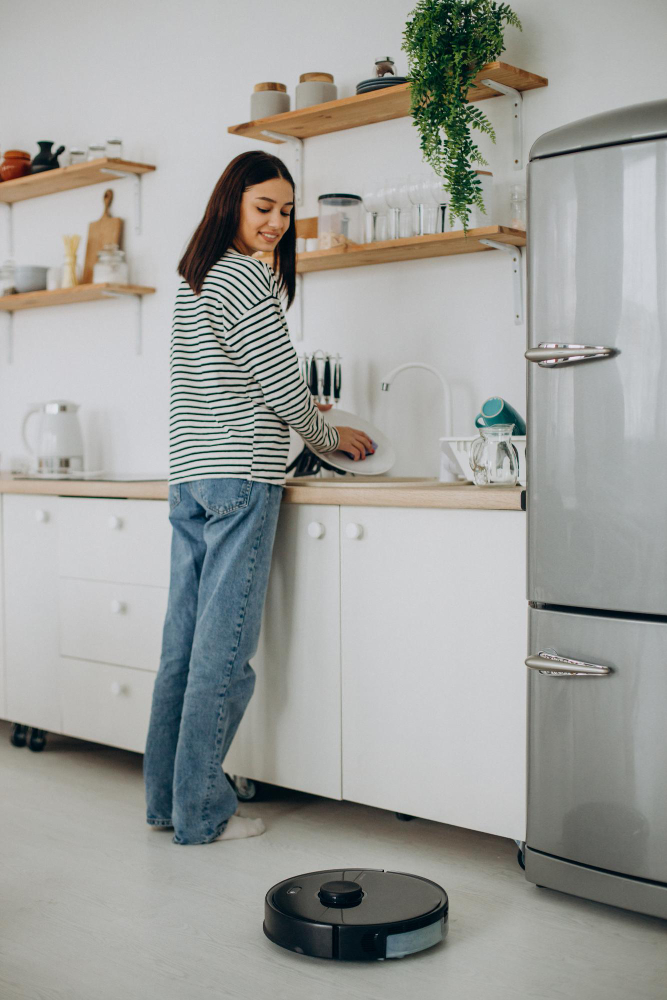
A robot vacuum tidies the kitchen floor as a woman washes dishes in a clean, modern home.
📋 Quick Navigation
- Why Programmers Need Robot Vacuums
- What to Look For in a Robot Vacuum
- Top Robot Vacuums at a Glance
- Best Robot Vacuums for Programmers
- Comparison Table
- How to Choose the Perfect Robot Vacuum
- LiDAR vs vSLAM: Navigation Technologies Explained
- Self-Emptying Robot Vacuums: Worth It?
- Setting Up Schedules Like a Programmer
- Smart Home Integration Guide
- Real-World Case Study: How a Robot Vacuum Saved One Programmer’s Sanity
- Frequently Asked Questions
- Related Guides
Disclosure: As an Amazon Associate, I earn from qualifying purchases. Some links below are affiliate links that help support this site at no extra cost to you.
Why Programmers Need Robot Vacuums
You’ve optimized your code, your workflow, your desk setup, your lighting, your temperature, your security, and your smart speakers. But what about the floor under your desk? Crumbs from late-night coding sessions, dust from cables, and pet hair (if you have pets) all accumulate while you’re focused on solving problems.
For programmers, a robot vacuum isn’t just about clean floors—it’s about automating one more task so you can focus on what matters.
The Robot Vacuum Advantage for Programmers
- Schedule automation: Set it to clean while you code — no manual vacuuming needed
- Smart mapping: Your office gets cleaned every time, not just random passes
- Voice control: “Alexa, start the robot vacuum” without leaving your desk
- Zoned cleaning: Clean only the home office during deep work sessions
- Self-emptying: Some models empty themselves for months of hands-off cleaning
- Integration: Part of your complete smart home ecosystem
What to Look For in a Robot Vacuum
1. Navigation Technology
- LiDAR (Laser): Most accurate, works in dark rooms, creates precise maps
- vSLAM (Camera): Uses camera to navigate, needs light, often cheaper
- Random bounce: Older technology, less efficient — avoid
2. Suction Power
- Basic (1,500-2,500 Pa): For hard floors, low-pile carpets
- Mid-range (2,500-4,000 Pa): For carpets, pet hair
- High-end (4,000+ Pa): For deep carpet cleaning, heavy debris
3. Self-Emptying Feature
- With self-empty: Robot empties itself into a base station — hands-off for weeks
- Without self-empty: You must empty the robot’s small bin after each cleaning
4. Mopping Capability
- Vacuum only: Cheaper, simpler
- Vacuum + mop (2-in-1): Wet mops hard floors
- Separate mop pad: Removable pad for multi-surface homes
5. Mapping & Zoning Features
- Room recognition: Automatically identifies rooms
- No-go zones: Keep robot away from cables, pet bowls, or other areas
- Selective room cleaning: Clean only the home office
- Multiple maps: For multi-level homes
6. Smart Home Integration
- Alexa, Google, Siri: Voice control
- IFTTT: Advanced automations
- Home Assistant: Custom automation for programmers
Top Robot Vacuums at a Glance
- Roborock S8 Pro Ultra: Best Overall | LiDAR | Self-empty + mop wash | $1,400-1,600
- iRobot Roomba j9+: Best Self-Emptying | vSLAM | Self-emptying (60 days) | $900-1,100
- Roborock Q Revo: Best Value | LiDAR | Self-empty + mop wash | $700-800
- Shark AI Ultra 2-in-1: Best Budget Self-Empty | vSLAM | Self-emptying (60 days) | $400-500
- Eufy X10 Pro Omni: Best Mid-Range | LiDAR | Self-empty + mop wash | $600-700
- iRobot Roomba i5+: Best Budget Self-Empty (Entry) | vSLAM | Self-emptying | $400-500
- Yeedi Vac 2 Pro: Best Budget Mop | vSLAM | Mopping + self-empty option | $250-300
- Ecovacs Deebot X2 Omni: Best Obstacle Avoidance | LiDAR | Self-empty + mop wash | $1,200-1,400
- Dreame L20 Ultra: Best Extension Arm | LiDAR | Self-empty + mop wash | $1,100-1,300
- Samsung Jet Bot AI+: Best AI Object Recognition | LiDAR + Camera | Self-emptying | $800-1,000
- iRobot Roomba Combo j5+: Best 2-in-1 Self-Empty | vSLAM | Self-emptying + mopping | $600-700
- Dreame D10S Pro: Best Budget LiDAR | LiDAR | Self-empty option | $300-350
Best Robot Vacuums for Programmers
1. Roborock S8 Pro Ultra: Best Overall
The Roborock S8 Pro Ultra is the best robot vacuum overall—powerful suction, LiDAR navigation, and a self-emptying/self-washing dock that handles everything.
- Navigation: LiDAR (Precise mapping, works in dark)
- Suction Power: 6,000 Pa (excellent for carpets)
- Self-Emptying: Yes (self-emptying + self-washing + self-drying)
- Mopping: Yes (dual-roller mop, sonic scrubbing)
- Mapping: Multi-level, room recognition, 3D mapping
- No-Go Zones: Yes
- Auto-Raise Mop: Yes (avoids carpets when mopping)
- Voice Control: Alexa, Google, Siri
- Battery Life: 180 minutes
- Price: $1,400-1,600
Why it’s great for programmers: The complete hands-off experience—the robot vacuums, mops, empties itself, washes and dries its mop, and refills its water tank. You can set it and forget it for weeks. This is the ultimate automation for programmers who want to never think about floors.
Pros: Fully automated (vacuum + mop + self-empty + self-wash + self-dry), excellent navigation, powerful suction, auto-raises mop on carpets, good app
Cons: Very expensive, large dock footprint
👉 Check price of Roborock S8 Pro Ultra on Amazon
2. iRobot Roomba j9+: Best Self-Emptying
The iRobot Roomba j9+ offers the best self-emptying system—holding up to 60 days of debris so you barely need to think about it.
- Navigation: vSLAM (camera-based, needs light)
- Suction Power: 2.5x more than Roomba j7+
- Self-Emptying: Yes (60-day capacity)
- Mopping: Optional (separate Braava Jet mop)
- Mapping: Imprint Smart Mapping, room recognition
- No-Go Zones: Yes (Keep Out Zones)
- Smart Home Integration: Alexa, Google
- Special Features: Dirt Detect, Imprint Link (connects with Braava mop)
- Battery Life: 120 minutes
- Price: $900-1,100
Why it’s great for programmers: The 60-day self-emptying capacity means you’ll only think about your vacuum every two months. The Dirt Detect feature focuses on dirtier areas—perfect for under your desk where crumbs accumulate.
Pros: Best self-emptying capacity (60 days), good navigation, Dirt Detect focuses on problem areas, works with Braava mop, good app
Cons: No self-emptying, expensive, camera needs light to navigate
👉 Check price of iRobot Roomba j9+ on Amazon
3. Roborock Q Revo: Best Value All-in-One
The Roborock Q Revo offers similar features to the S8 Pro Ultra at nearly half the price—the best value for programmers who want a hands-off cleaning experience.
- Navigation: LiDAR (Precise mapping)
- Suction Power: 5,500 Pa (excellent)
- Self-Emptying: Yes (self-emptying + self-washing + self-drying)
- Mopping: Yes (rotating mops, sonic scrubbing)
- Mapping: Multi-level, room recognition, 3D mapping
- No-Go Zones: Yes
- Auto-Raise Mop: No (manually remove mop bracket)
- Voice Control: Alexa, Google, Siri
- Battery Life: 180 minutes
- Price: $700-800
Why it’s great for programmers: At under $800, you get 90% of the flagship S8 Pro Ultra experience. The self-emptying, self-washing, and self-drying dock means you can set it and forget it. Perfect for programmers who want automation without the flagship price.
Pros: Great value, self-emptying + self-washing + self-drying dock, good suction, LiDAR navigation, excellent app
Cons: No auto-raise mop, lower suction than S8 Pro Ultra, plastic build
👉 Check price of Roborock Q Revo on Amazon
4. Shark AI Ultra 2-in-1: Best Budget Self-Emptying
The Shark AI Ultra 2-in-1 offers self-emptying capability at a budget price—perfect for programmers who want hands-off cleaning without breaking the bank.
- Navigation: vSLAM (camera-based)
- Suction Power: Good (Shark’s self-cleaning brushroll)
- Self-Emptying: Yes (60-day capacity)
- Mopping: Yes (2-in-1 design)
- Mapping: Multi-level, room recognition
- No-Go Zones: Yes (via app)
- Voice Control: Alexa, Google
- Special Features: Matrix Clean (grid pattern), self-cleaning brushroll
- Battery Life: 120 minutes
- Price: $400-500
Why it’s great for programmers: The 60-day self-emptying capacity at under $500 is unbeatable. The self-cleaning brushroll prevents hair tangles—perfect for programmers with pets.
Pros: Affordable self-emptying, 60-day capacity, self-cleaning brushroll, good app, 2-in-1 vac/mop
Cons: Camera needs light, no self-washing mop, shorter battery life
👉 Check price of Shark AI Ultra 2-in-1 on Amazon
5. Eufy X10 Pro Omni: Best Mid-Range All-in-One
The Eufy X10 Pro Omni offers premium features at a mid-range price—perfect for programmers who want hands-off cleaning without the highest price.
- Navigation: LiDAR (Precise mapping)
- Suction Power: 8,000 Pa (very powerful)
- Self-Emptying: Yes (self-emptying + self-washing + self-drying)
- Mopping: Yes (rotating mops)
- Mapping: Multi-level, room recognition
- No-Go Zones: Yes
- Auto-Raise Mop: Yes (avoids carpets)
- Voice Control: Alexa, Google
- Battery Life: 180 minutes
- Price: $600-700
Why it’s great for programmers: The 8,000 Pa suction is among the highest available. The self-emptying, self-washing, and self-drying dock provides a hands-off experience. At under $700, it’s excellent value.
Pros: Very powerful suction, self-emptying + self-washing + self-drying dock, auto-raise mop, LiDAR navigation, good value
Cons: Newer brand with less track record, app less polished
👉 Check price of Eufy X10 Pro Omni on Amazon
6. Yeedi Vac 2 Pro: Best Budget Robot Vacuum
The Yeedi Vac 2 Pro offers excellent value for programmers on a budget—good suction, mopping, and smart mapping under $300.
- Navigation: vSLAM (camera-based)
- Suction Power: Good (2,500 Pa)
- Self-Emptying: Optional (self-empty station sold separately)
- Mopping: Yes (vibrating mop)
- Mapping: Multi-level, room recognition
- No-Go Zones: Yes
- Voice Control: Alexa, Google
- Battery Life: 120 minutes
- Price: $250-300
Why it’s great for programmers: At under $300, it’s the best entry-level robot vacuum with smart mapping. The vibrating mop is surprisingly effective. Perfect for programmers who want to try robot vacuums without a big investment.
Pros: Very affordable, good suction, vibrating mop, smart mapping, no-go zones, good app
Cons: No self-emptying included, camera needs light, smaller dust bin
👉 Check price of Yeedi Vac 2 Pro on Amazon
7. Dreame L20 Ultra: Best Extension Arm
The Dreame L20 Ultra features a unique extending mop arm that reaches edges that other robot vacuums miss.
- Navigation: LiDAR (Precision mapping)
- Suction Power: 7,000 Pa (excellent)
- Self-Emptying: Yes (self-emptying + self-washing + self-drying)
- Mopping: Yes (extending mop arm for edges)
- Mapping: Multi-level, room recognition, 3D mapping
- No-Go Zones: Yes
- Auto-Raise Mop: Yes
- Voice Control: Alexa, Google
- Special Features: Extending mop arm reaches edges, voice control built-in
- Battery Life: 180 minutes
- Price: $1,100-1,300
Why it’s great for programmers: The extending mop arm is a game-changer—it reaches baseboards, chair legs, and other edges that standard robot vacuums miss. For programmers who want perfection, this is the answer.
Pros: Extending mop arm reaches edges, powerful suction, self-emptying + self-washing + self-drying dock, good navigation, flexible
Cons: Expensive, large dock
👉 Check price of Dreame L20 Ultra on Amazon
8. Ecovacs Deebot X2 Omni: Best Obstacle Avoidance
The Ecovacs Deebot X2 Omni excels at obstacle avoidance—it navigates around cables, shoes, and pet bowls better than almost any other robot vac.
- Navigation: LiDAR (Precision mapping)
- Suction Power: 8,000 Pa (very powerful)
- Self-Emptying: Yes (self-emptying + self-washing + self-drying)
- Mopping: Yes (rotating mops)
- Mapping: Multi-level, room recognition, 3D mapping
- No-Go Zones: Yes
- Auto-Raise Mop: Yes
- Special Features: Object avoidance (cables, pet waste), built-in voice assistant
- Voice Control: Alexa, Google, Yiko (built-in)
- Battery Life: 180 minutes
- Price: $1,200-1,400
Why it’s great for programmers: The obstacle avoidance means you don’t have to “program-proof” your floors—the robot navigates around cables, shoes, and other obstacles. Perfect for messy desks with lots of cables.
Pros: Best obstacle avoidance, powerful suction, square shape cleans corners better, self-emptying dock, good navigation
Cons: Expensive, shorter battery life (about 120 min), app less polished
👉 Check price of Ecovacs Deebot X2 Omni on Amazon
9. Dreame D10S Pro: Best Budget LiDAR
The Dreame D10S Pro offers LiDAR navigation at a budget price—perfect for programmers who want precise mapping without spending a fortune.
- Navigation: LiDAR (Precise mapping)
- Suction Power: 4,000 Pa (good)
- Self-Emptying: Optional (self-empty station sold separately)
- Mopping: Yes (water tank + mop cloth)
- Mapping: Multi-level, room recognition
- No-Go Zones: Yes
- Voice Control: Alexa, Google
- Battery Life: 150 minutes
- Price: $300-350
Why it’s great for programmers: LiDAR navigation at under $350 is excellent value. The mapping is precise, and you can set no-go zones to protect your precious desk cables.
Pros: Affordable LiDAR, precise mapping, good suction, no-go zones, good battery life
Cons: No self-emptying included, basic app, no auto-raise mop
👉 Check price of Dreame D10S Pro on Amazon
10. Samsung Jet Bot AI+: Best AI Object Recognition
The Samsung Jet Bot AI+ features AI-powered object recognition—it can recognize and avoid cables, pet waste, and other obstacles using on-device AI.
- Navigation: LiDAR + Camera (AI object recognition)
- Suction Power: Good
- Self-Emptying: Yes (self-emptying station)
- Mopping: No (vacuum only)
- Mapping: Multi-level, room recognition
- No-Go Zones: Yes
- Special Features: AI object recognition (recognizes and avoids cables, pet waste), onboard intelligence
- Voice Control: Alexa, Google, Bixby
- Battery Life: 90 minutes (shorter due to AI processing)
- Price: $800-1,000
Why it’s great for programmers: The AI object recognition is fascinating for tech-interested programmers. The vacuum processes images on-device to recognize and avoid obstacles—no cloud required.
Pros: AI object recognition, good navigation, self-emptying, works with SmartThings, interesting technology
Cons: Expensive, no mopping, shorter battery life (90 minutes), high power consumption
👉 Check price of Samsung Jet Bot AI+ on Amazon
Comparison Table
| Model | Navigation | Suction | Self-Empty | Mopping | Price | Best For |
|---|---|---|---|---|---|---|
| Roborock S8 Pro Ultra | LiDAR | 6,000 Pa | Yes (self-wash) | Yes | $1,400-1,600 | Best Overall |
| iRobot Roomba j9+ | vSLAM | Good | Yes (60 days) | Optional | $900-1,100 | Best Self-Emptying |
| Roborock Q Revo | LiDAR | 5,500 Pa | Yes (self-wash) | Yes | $700-800 | Best Value All-in-One |
| Shark AI Ultra 2-in-1 | vSLAM | Good | Yes (60 days) | Yes | $400-500 | Best Budget Self-Empty |
| Eufy X10 Pro Omni | LiDAR | 8,000 Pa | Yes (self-wash) | Yes | $600-700 | Best Mid-Range |
| Dreame L20 Ultra | LiDAR | 7,000 Pa | Yes (self-wash) | Yes | $1,100-1,300 | Best Extension Arm |
How to Choose the Perfect Robot Vacuum
Step 1: Choose Your Automation Level
Want complete hands-off automation: Self-emptying + self-washing + self-drying models (Roborock S8 Pro Ultra, Roborock Q Revo, Eufy X10 Pro Omni, Dreame L20 Ultra, Ecovacs X2 Omni)
Want self-emptying only: Self-emptying models (iRobot j9+, Shark AI Ultra, iRobot i5+)
Don’t mind emptying the dust bin: Standard models (Yeedi Vac 2 Pro, Dreame D10S Pro)
Step 2: Choose Navigation Type
Most precise, works in dark: LiDAR (Roborock, Eufy, Dreame, Ecovacs)
Need light, often cheaper: vSLAM (iRobot, Shark, Yeedi)
Step 3: Consider Your Flooring
Hard floors only: Any robot vacuum works; consider mopping feature
Mixed floors (hard + carpet): Look for auto-raise mop and carpet boost modes
Mostly carpet: Prioritize suction power (4,000+ Pa)
Step 4: Set Your Budget
Under $300: Yeedi Vac 2 Pro
$300-500: Shark AI Ultra 2-in-1, Dreame D10S Pro
$500-800: Roborock Q Revo, Eufy X10 Pro Omni, iRobot i5+
$800-1,200: iRobot j9+, Roborock S8 Pro Ultra, Samsung Jet Bot AI+
LiDAR vs vSLAM: Navigation Technologies Explained
LiDAR (Laser Distance Sensor)
Uses spinning laser to measure distances and create precise maps.
Pros: Works in complete darkness, highly accurate, faster mapping
Cons: More expensive, spinning laser can fail
Found in: Roborock, Eufy, Dreame, Ecovacs
vSLAM (Visual Simultaneous Localization and Mapping)
Uses a camera to “see” the room and track position.
Pros: Often cheaper, recognizes specific objects
Cons: Needs light, less accurate in low light, slower
Found in: iRobot, Shark, Yeedi
Self-Emptying Robot Vacuums: Worth It?
For programmers, yes—especially if you want true automation.
Standard robot vacuums have small dust bins (200-500ml) that need emptying every 1-3 cleanings. Self-emptying models use a base station with a large bag (2-3 liters) that lasts weeks or months.
Best self-emptying options:
60-day capacity: iRobot Roomba j9+, Shark AI Ultra
Self-washing + self-emptying: Roborock S8 Pro Ultra, Roborock Q Revo, Eufy X10 Pro Omni, Dreame L20 Ultra
Setting Up Schedules Like a Programmer
Once your robot vacuum is set up, you can automate cleaning schedules:
Daily deep work schedule: Clean home office 9:00 AM-10:00 AM (after coffee, before deep work)
Lunch schedule: Clean kitchen 12:30 PM-1:00 PM
Evening schedule: Clean living room 5:00 PM-6:00 PM
Weekend schedule: Full home clean Saturday 9:00 AM-12:00 PM
Smart Home Integration Guide
Routines for Programmers
Alexa “Good morning” routine: “Alexa, good morning” → Starts robot vacuum in home office, turns on desk light, starts coffee maker
Alexa “Leaving home” routine: “Alexa, I’m leaving” → Locks door, turns off lights, starts full home vacuum
Google “Deep work” routine: “Hey Google, deep work” → Starts robot vacuum in office (optional), sets lights to cool white, plays focus music
Real-World Case Study: How a Robot Vacuum Saved One Programmer’s Sanity
The Programmer: Sarah Chen, freelance full-stack developer
The Problem: Sarah worked from home with two cats. Between fur, litter tracking, and her own snack crumbs, her office floor was always dirty. Constantly stopping to sweep or vacuum broke her flow state.
The Solution: Sarah invested in a Roborock Q Revo with self-emptying and self-washing features.
The Result:
- Clean floors daily: Scheduled cleaning at 8:00 AM before she starts work
- No manual intervention: Robot self-empties and self-washes
- Better focus: No more distractions cleaning floors
- Cat hair management: Robot captures pet hair daily
- Happy wife: The rest of the house stays clean too
“The robot vacuum pays for itself in mental space. I don’t think about cleaning floors at all anymore—I just get to work. That’s true automation.” — Sarah Chen
Frequently Asked Questions
Do I need a robot vacuum if I already have a regular vacuum? Yes, if you want automated daily cleaning. A robot vacuum handles daily maintenance while your regular vacuum handles weekly deep cleaning.
What’s the best robot vacuum for pet hair? Roborock S8 Pro Ultra or iRobot Roomba j9+ — both have strong suction and self-emptying.
Can robot vacuums clean carpets? Yes, most can handle low to medium pile carpets. Look for higher suction power (4,000+ Pa) for deep cleaning.
How often should I run my robot vacuum? Daily for high-traffic areas, every other day for low-traffic areas.
What’s the best budget robot vacuum? The Yeedi Vac 2 Pro offers smart mapping and mopping under $300.
What’s the best robot vacuum for programmers? The Roborock Q Revo offers the best balance of automation (self-emptying + self-washing + self-drying) and price.
Do robot vacuums work in the dark? Only models with LiDAR navigation work in complete darkness. Camera-based (vSLAM) models need light.
Can I use a robot vacuum on multiple floors? Yes, if the model supports multi-level mapping (most do). Just carry it to the other floor and start a clean.
Explore Our Complete Programmer Workspace Guides
🖥️ Complete Your Programming Workspace
💻 Laptops & Monitors
- Best Programming Laptops 2026
- Best Desktop PCs 2026
- Best Mini PCs 2026
- Best Monitors for Coding 2026
⌨️ Input & Audio
- Best Mechanical Keyboards 2026
- Best Ergonomic Mice 2026
- Best Wrist Rests 2026
- Best Mouse Pads 2026
- Best Noise Cancelling Headphones 2026
- Best USB Microphones 2026
- Best Computer Speakers 2026
🔌 Accessories & Setup
- Best USB-C Hubs & Docks 2026
- Best Mesh Wi-Fi Systems 2026
- Best Surge Protectors & UPS 2026
- Best Smart Plugs 2026
- Best Smart Lights 2026
- Best Smart Thermostats 2026
- Best Smart Security Cameras 2026
- Best Smart Speakers 2026
- Best Smart Locks 2026
- Best Robot Vacuums 2026
- Best Laptop Backpacks 2026
- Best Laptop Sleeves 2026
- Best Travel Tech Kits 2026
- Complete Desk Setup Guide 2026
🪑 Health & Gifts
*All guides are independently researched and updated for 2026 to help you build the perfect programming workspace.
Disclosure: As an Amazon Associate, I earn from qualifying purchases. Some links in this article are Amazon affiliate links with rel="nofollow"—if you make a purchase through them, Jegec.com may earn a small commission at no extra cost to you.
Automate your cleaning. Focus on your code.