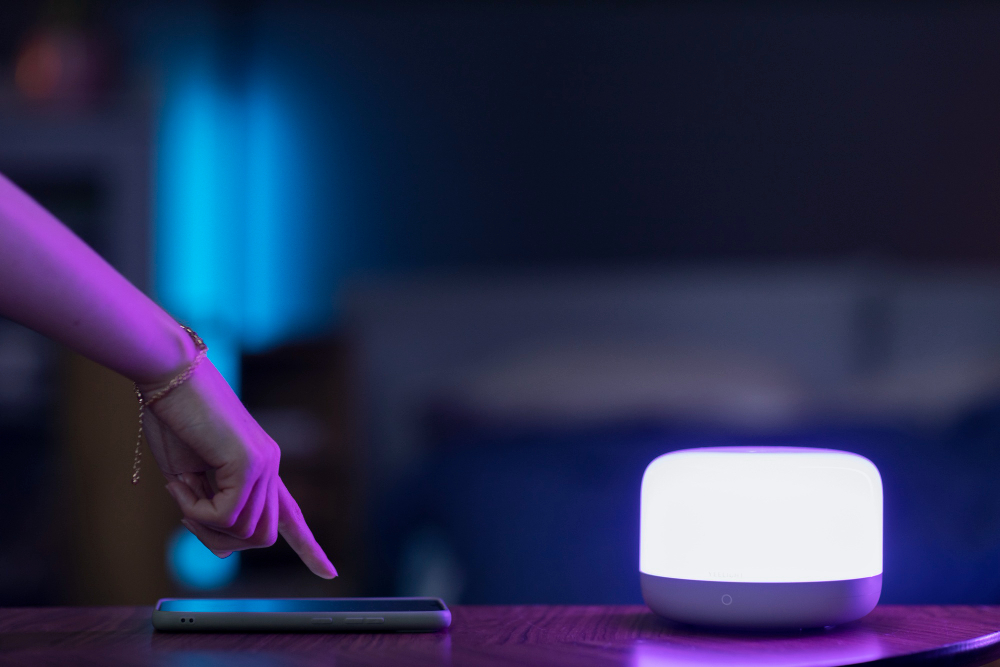
A user adjusts smart lighting settings via smartphone in a softly lit home office environment.
📋 Quick Navigation
- Why Programmers Need Smart Lights
- Smart Lighting for Programmers: What to Look For
- Top Smart Lights at a Glance
- Best Smart Bulbs for Programmers
- Best Smart Light Strips & Bias Lighting
- Best Smart Switches & Dimmers
- Comparison Table
- How to Choose the Perfect Smart Lights
- Circadian Lighting: Why Color Temperature Matters
- Real-World Case Study: How Smart Lights Transformed One Programmer’s Focus
- Frequently Asked Questions
- Related Guides
Disclosure: As an Amazon Associate, I earn from qualifying purchases. Some links below are affiliate links that help support this site at no extra cost to you.
Why Programmers Need Smart Lights
You’ve optimized your code, your workflow, and your desk setup. You have a great monitor, a mechanical keyboard, and an ergonomic chair. But there’s one element that affects your focus, energy, and even your sleep more than you might realize: lighting.
Smart lights aren’t just about turning on your desk lamp with your voice. They’re about programming your environment to match your mental state throughout the day.
The Science of Light and Productivity
Research shows that light color temperature directly affects cognitive performance:
- Cool white (5000K–6500K): Boosts alertness, focus, and reaction time—perfect for morning coding sessions
- Neutral white (3500K–4500K): Balanced, natural—ideal for general work
- Warm white (2700K–3000K): Relaxing, promotes melatonin—perfect for winding down after work
Dr. Sarah Martinez, sleep researcher at Stanford University, notes: “Exposure to blue-enriched light during the day improves cognitive performance and alertness. Exposure to warm light in the evening protects your circadian rhythm and sleep quality.”
With smart lights, you can automate this transition—cool light for focus during the day, warm light for relaxation after hours.
The Smart Light Advantage
- Circadian Lighting: Automatically shifts color temperature throughout the day
- Focus Modes: One command activates “coding mode” with optimal lighting
- Bias Lighting: Reduces eye strain by balancing monitor brightness
- Voice Control: “Alexa, dim lights to 50%” without taking hands off keyboard
- Routines: Lights turn on before you wake up, dim during calls, and turn off when you leave
- Energy Savings: LED smart bulbs use 80% less energy than traditional bulbs
Smart Lighting for Programmers: What to Look For
1. Color Temperature Adjustability (Non-Negotiable)
For programmers, the ability to shift from cool focus light to warm relaxing light is essential. Look for bulbs that offer a range from 2700K to 6500K.
2. Brightness (Lumens)
- Desk tasks: 800+ lumens
- Ambient lighting: 400-600 lumens
- Bias lighting: 200-400 lumens
3. Voice Assistant Compatibility
- Alexa: Amazon Echo users
- Google Assistant: Google Home/Nest users
- Apple HomeKit: iPhone/Apple ecosystem users
- All three: Most flexible (look for Matter support)
4. Connectivity
- Wi-Fi: Direct connection, no hub needed
- Zigbee/Z-Wave: Requires hub, more reliable, better for large setups
- Thread: New standard, self-healing mesh, excellent reliability
5. Matter Support
Matter is the new universal smart home standard. Matter-certified lights work with Alexa, Google, Apple, and Samsung simultaneously—no more compatibility worries.
Top Smart Lights at a Glance
- Philips Hue White & Color Ambiance: Best Overall | Hub required | $50-70 per bulb
- LIFX Color A19: Best No-Hub Option | Wi-Fi | $40-50 per bulb
- Nanoleaf Essentials Matter: Best Thread Option | Thread/Wi-Fi | $20-25 per bulb
- Govee LED Strip Lights: Best Light Strips | Wi-Fi/Bluetooth | $30-60 per set
- TP-Link Kasa KL135: Best Budget Bulb | Wi-Fi | $12-15 per bulb
- Meross Smart Bulb: Best Value Pack | Wi-Fi | $25-30 for 4-pack
- Philips Hue Play Bars: Best Bias Lighting | Hub required | $130-150 for 2-pack
- Govee RGBIC Neon Rope Light: Best Desk Accent | Wi-Fi | $50-80
- Leviton Decora Smart Switch: Best Smart Switch | Wi-Fi | $40-50
- Lutron Caseta Wireless Switch: Best Premium Switch | Hub required | $60-70
Best Smart Bulbs for Programmers
1. Philips Hue White & Color Ambiance: Best Overall
Philips Hue is the gold standard in smart lighting. The White & Color Ambiance bulbs offer full color temperature range and 16 million colors.
- Brightness: 800 lumens (60W equivalent)
- Color Temperature: 2000K–6500K
- Connectivity: Zigbee (requires Hue Bridge)
- Voice Control: Alexa, Google, Apple HomeKit
- Matter Support: Yes (via Bridge)
- Special Features: Circadian lighting, routines, entertainment sync
- Price: $50-70 per bulb
Why it’s great for programmers: The Hue ecosystem is unmatched—over 50 compatible apps, IFTTT integration, and rock-solid reliability. The entertainment sync can match lights to your monitor for immersive coding sessions.
Pros: Industry standard, excellent color quality, reliable Zigbee network, huge ecosystem, Matter support
Cons: Expensive, requires Hue Bridge (sold separately)
👉 Check price of Philips Hue on Amazon
2. LIFX Color A19: Best No-Hub Option
LIFX bulbs offer exceptional brightness and color quality without requiring a hub—they connect directly to your Wi-Fi.
- Brightness: 1100 lumens (75W equivalent)
- Color Temperature: 1500K–9000K (wider range than Hue!)
- Connectivity: Wi-Fi (2.4 GHz)
- Voice Control: Alexa, Google, Apple HomeKit
- Matter Support: No (planned)
- Special Features: Day & Dusk automation, effects, schedules
- Price: $40-50 per bulb
Why it’s great for programmers: The extra brightness (1100 lumens) is perfect for desk tasks. The wider color temperature range gives you more control over your focus lighting.
Pros: No hub required, very bright, wide color range, excellent app
Cons: More expensive than budget options, Wi-Fi can be less reliable than Zigbee
👉 Check price of LIFX on Amazon
3. Nanoleaf Essentials Matter: Best Thread Option
Nanoleaf’s Essentials bulbs use Thread technology for ultra-reliable connectivity without a hub (if you have a Thread border router like Apple HomePod or Google Nest Hub).
- Brightness: 800 lumens
- Color Temperature: 2700K–6500K
- Connectivity: Thread + Bluetooth
- Voice Control: Alexa, Google, Apple HomeKit
- Matter Support: ✅ Yes (over Thread)
- Special Features: Screen mirror, schedules, circadian lighting
- Price: $20-25 per bulb
Why it’s great for programmers: Thread technology creates a self-healing mesh network that’s more reliable than Wi-Fi. Matter support means it works with all major platforms.
Pros: Affordable, Thread for reliability, Matter certified, good color quality
Cons: Requires Thread border router for best experience
👉 Check price of Nanoleaf Essentials on Amazon
4. TP-Link Kasa KL135: Best Budget Bulb
The TP-Link Kasa KL135 offers excellent value with solid features at a budget price.
- Brightness: 800 lumens
- Color Temperature: 2500K–6500K
- Connectivity: Wi-Fi (2.4 GHz)
- Voice Control: Alexa, Google
- Matter Support: No
- Special Features: Schedules, away mode, energy monitoring
- Price: $12-15 per bulb
Why it’s great for programmers: At under $15, you can automate your entire office without breaking the bank. The Kasa app is reliable and easy to use.
Pros: Very affordable, reliable app, good color quality, works with Alexa and Google
Cons: No Apple HomeKit, no Matter support
👉 Check price of Kasa KL135 on Amazon
5. Meross Smart Bulb: Best Value Pack
Meross offers smart bulbs in affordable 4-packs, perfect for outfitting your entire workspace.
- Brightness: 800 lumens
- Color Temperature: 2700K–6500K
- Connectivity: Wi-Fi (2.4 GHz)
- Voice Control: Alexa, Google
- Matter Support: No
- Special Features: Schedules, away mode
- Price: $25-30 for 4-pack ($6-8 per bulb)
Why it’s great for programmers: At under $7 per bulb, you can automate your entire home office for less than the price of one premium bulb.
Pros: Excellent value, good brightness, reliable Wi-Fi connection, works with Alexa and Google
Cons: No Apple HomeKit, basic app features
👉 Check price of Meross Smart Bulb 4-Pack on Amazon
Best Smart Light Strips & Bias Lighting
6. Govee LED Strip Lights: Best Light Strips
Govee is the leader in smart LED strips, offering vibrant colors and excellent app control at affordable prices.
- Length: 16.4 ft to 65 ft
- Colors: 16 million RGBIC (multicolor segments)
- Connectivity: Wi-Fi + Bluetooth
- Voice Control: Alexa, Google
- Special Features: Music sync, schedules, DIY effects, segments control
- Price: $30-60 per set
Why it’s great for programmers: The RGBIC technology lets you display multiple colors on one strip—perfect for accent lighting behind monitors or desks. The music sync adds ambiance during breaks.
Pros: Vibrant colors, easy installation, good app, affordable
Cons: No Apple HomeKit, color accuracy not as good as Hue
👉 Check price of Govee LED Strip Lights on Amazon
7. Philips Hue Play Bars: Best Bias Lighting
Philips Hue Play Bars are designed specifically for monitor bias lighting, reducing eye strain and adding ambiance.
- Type: Compact light bars
- Colors: 16 million
- Connectivity: Zigbee (requires Hue Bridge)
- Voice Control: Alexa, Google, Apple HomeKit
- Special Features: Entertainment sync, mount to monitor, wall mounting
- Price: $130-150 for 2-pack
Why it’s great for programmers: Bias lighting behind your monitor reduces eye strain by balancing screen brightness. The Play Bars mount directly to your monitor—no visible wires.
Pros: Excellent bias lighting, easy mounting, perfect for monitors, syncs with screen
Cons: Expensive, requires Hue Bridge
👉 Check price of Philips Hue Play Bars on Amazon
8. Govee RGBIC Neon Rope Light: Best Desk Accent
The Govee Neon Rope Light bends to create custom shapes and designs—perfect for adding personality to your workspace.
- Length: 16.4 ft
- Colors: RGBIC (multicolor segments)
- Connectivity: Wi-Fi + Bluetooth
- Voice Control: Alexa, Google
- Special Features: Bendable, cuttable, music sync, DIY shapes
- Price: $50-80
Why it’s great for programmers: Create custom designs like your favorite logo, a code bracket “{}”, or geometric patterns on your wall. It’s the perfect way to personalize your workspace.
Pros: Bendable for custom designs, vibrant colors, music sync, unique accent lighting
Cons: Expensive for a strip light
👉 Check price of Govee Neon Rope Light on Amazon
Best Smart Switches & Dimmers
9. Leviton Decora Smart Switch: Best Smart Switch
For ceiling lights or hardwired fixtures, the Leviton Decora Smart Switch brings smart control to existing circuits.
- Type: In-wall switch (replaces existing switch)
- Connectivity: Wi-Fi (2.4 GHz)
- Voice Control: Alexa, Google, Apple HomeKit
- Special Features: Schedules, away mode, dimming (on dimmer model)
- Price: $40-50
Why it’s great for programmers: Control your overhead lighting alongside your desk lights—all from the same app or voice commands.
Pros: Works with existing wiring, no hub needed, works with all major voice assistants
Cons: Requires neutral wire, installation requires electrical knowledge
👉 Check price of Leviton Decora Switch on Amazon
10. Lutron Caseta Wireless Switch: Best Premium Switch
Lutron Caseta is the gold standard for smart switches, known for exceptional reliability and elegant design.
- Type: In-wall switch with Pico remote
- Connectivity: Lutron Clear Connect (requires hub)
- Voice Control: Alexa, Google, Apple HomeKit
- Special Features: Pico remote (mount anywhere), geofencing, schedules
- Price: $60-70
Why it’s great for programmers: The Pico remote can be mounted anywhere—no wiring needed. Place one on your desk for easy control without reaching for the wall.
Pros: Extremely reliable, Pico remote included, works without neutral wire, professional quality
Cons: Expensive, requires hub
👉 Check price of Lutron Caseta on Amazon
Comparison Table
- Philips Hue: 800 lumens | 2000K–6500K | Hub (Zigbee) | $50-70 | Best overall
- LIFX Color: 1100 lumens | 1500K–9000K | Wi-Fi | $40-50 | No hub needed
- Nanoleaf Essentials: 800 lumens | 2700K–6500K | Thread | $20-25 | Best Thread/Matter
- Kasa KL135: 800 lumens | 2500K–6500K | Wi-Fi | $12-15 | Best budget bulb
- Meross 4-Pack: 800 lumens | 2700K–6500K | Wi-Fi | $6-8 ea | Best value pack
- Govee Strip: 16.4 ft | RGBIC | Wi-Fi | $30-60 | Best light strips
- Hue Play Bars: 2 bars | RGB | Hub | $130-150 | Best bias lighting
- Govee Neon: 16.4 ft | RGBIC | Wi-Fi | $50-80 | Best desk accent
- Leviton Switch: Wi-Fi | $40-50 | Best smart switch
- Lutron Caseta: Hub | $60-70 | Best premium switch
How to Choose the Perfect Smart Lights
Step 1: Identify Your Lighting Needs
- Desk lamp or task lighting: Smart bulb (Philips Hue, LIFX)
- Monitor bias lighting: Hue Play Bars or LED strip behind monitor
- Room overhead lights: Smart switch (Leviton, Lutron)
- Accent lighting: LED strips or neon rope lights
- Whole office automation: Mix of bulbs, strips, and switches
Step 2: Choose Your Ecosystem
- Alexa-only: Any brand works
- Google-only: Any brand works
- Apple HomeKit: Philips Hue, Nanoleaf, LIFX, Lutron
- Multi-platform: Look for Matter certification
Step 3: Decide on Hub vs Hubless
- Hub (Zigbee/Z-Wave): More reliable, better for large setups (20+ devices)
- Hubless (Wi-Fi): Simpler, no extra hardware, good for smaller setups
- Thread: Best of both worlds—reliable mesh without complex hub
Step 4: Set Your Budget
- Under $50: Meross 4-pack or Kasa bulbs
- $50-100: Nanoleaf Essentials + Govee strip
- $100-200: Starter Hue setup + bias lighting
- $200+: Full Hue ecosystem + Lutron switches
Circadian Lighting: Why Color Temperature Matters
Circadian lighting automatically adjusts color temperature throughout the day to match your natural body rhythms.
Optimal Programming Schedule
- Morning (6am–12pm): Cool white (5000K–6500K) — Boosts alertness, focus
- Afternoon (12pm–5pm): Neutral white (4000K–4500K) — Maintains energy
- Evening (5pm–9pm): Warm white (3000K–3500K) — Winds down
- Night (9pm+): Very warm (2700K) — Protects sleep
Philips Hue offers Hue Labs “Feel Better” formula that automates this transition. Nanoleaf offers circadian lighting in their app.
Real-World Case Study: How Smart Lights Transformed One Programmer’s Focus
The Programmer: Jessica Wu, full-stack developer
The Problem: Jessica found herself struggling to focus in the morning and unable to wind down at night. She’d code until midnight, then lie awake for hours. Her afternoon productivity was terrible.
The Solution: Jessica installed Philips Hue bulbs in her desk lamp and ceiling light, plus Hue Play Bars behind her monitor. She set up circadian lighting automation:
- 8:00 AM: Lights gradually brighten to 5000K
- 12:00 PM: Shift to 4000K
- 5:00 PM: Shift to 3000K
- 9:00 PM: Dim to 20% brightness, 2700K
The Result:
- Morning focus improved by 40% — she’s alert by 9 AM
- Afternoon slump disappeared — consistent energy
- Sleep quality improved — falling asleep 30 minutes faster
- Eye strain reduced — bias lighting eliminated headaches
“I didn’t realize how much my lighting was affecting my productivity and sleep. The circadian lighting automation has completely changed my daily rhythm. I’m more focused when I need to be, and I actually wind down at night.” — Jessica Wu
Frequently Asked Questions
Do smart lights work without a hub? Many smart lights connect directly to Wi-Fi (LIFX, Kasa, Meross). Others require a hub (Philips Hue). Hub-based systems are generally more reliable for large setups.
What’s the best smart light for programming? The Philips Hue White & Color Ambiance offers the best ecosystem. For budget, the Nanoleaf Essentials with Thread is excellent.
Can smart lights help with eye strain? Yes. Bias lighting (lights behind your monitor) reduces contrast between screen and background, significantly reducing eye strain. Cool white light during the day also helps maintain focus.
What color temperature is best for coding? 5000K–6500K (cool white) during the day for focus and alertness. Switch to 2700K–3000K (warm white) in the evening to protect sleep quality.
Do smart lights work with my existing switches? Yes, but with a caveat. Smart bulbs need constant power to stay connected. If you turn them off at the wall switch, they lose connectivity. Consider using smart switches instead, or leave wall switches on and use voice/app to control.
What’s the difference between RGB and RGBIC? RGB lights show one color at a time. RGBIC (like Govee) can show multiple colors on one strip simultaneously, creating gradient effects.
Are smart lights worth it for programmers? Absolutely. The ability to program your lighting for focus, energy, and relaxation is a game-changer for productivity and sleep quality.
Can smart lights sync with my monitor? Yes. Philips Hue Play Bars and Govee products can sync with screen content for immersive experiences. Some programmers use this for ambient coding environments.
What’s the best bias lighting for monitors? Philips Hue Play Bars are purpose-built for bias lighting and mount directly to your monitor. A Govee LED strip on the back of your monitor is a budget alternative.
How do I set up circadian lighting? Use the automation features in your smart light app. Philips Hue has “Hue Labs” formulas, Nanoleaf has “Circadian Lighting” in settings. Set schedules to gradually shift color temperature throughout the day.
Explore Our Complete Programmer Workspace Guides
🖥️ Complete Your Programming Workspace
💻 Laptops & Monitors
- Best Programming Laptops 2026
- Best Desktop PCs 2026
- Best Mini PCs 2026
- Best Monitors for Coding 2026
- Best Monitor Light Bars 2026
⌨️ Input & Audio
- Best Mechanical Keyboards 2026
- Best Ergonomic Mice 2026
- Best Wrist Rests 2026
- Best Mouse Pads 2026
- Best Noise Cancelling Headphones 2026
- Best USB Microphones 2026
- Best Computer Speakers 2026
🔌 Accessories & Setup
- Best USB-C Hubs & Docks 2026
- Best Mesh Wi-Fi Systems 2026
- Best Surge Protectors & UPS 2026
- Best Smart Plugs 2026
- Best Smart Lights 2026
- Best Laptop Backpacks 2026
- Best Laptop Sleeves 2026
- Best Laptop Cooling Pads 2026
- Best Travel Tech Kits 2026
- Complete Desk Setup Guide 2026
🪑 Health & Gifts
*All guides are independently researched and updated for 2026 to help you build the perfect programming workspace.
Disclosure: As an Amazon Associate, I earn from qualifying purchases. Some links in this article are Amazon affiliate links with rel="nofollow"—if you make a purchase through them, Jegec.com may earn a small commission at no extra cost to you. This helps us keep bringing you detailed tech guides.
Program your lighting, program your focus.